

Pinterest Ads: 2026 Guide to High-Intent Advertising
15 July 2021
Anna
10 minutes
Pinterest sits in a category of its own. It isn't a feed people scroll to kill time — it's a visual search engine where users arrive with a plan: a room to redecorate, a trip to book, a product to buy. That intent is exactly why advertising on Pinterest keeps earning a spot in serious eCommerce media plans. This guide breaks down how Pinterest ads work in 2026, the current Pinterest ad types and ad formats, what Pinterest ads cost, and the best practices that move conversions today.
Why advertise on Pinterest in 2026
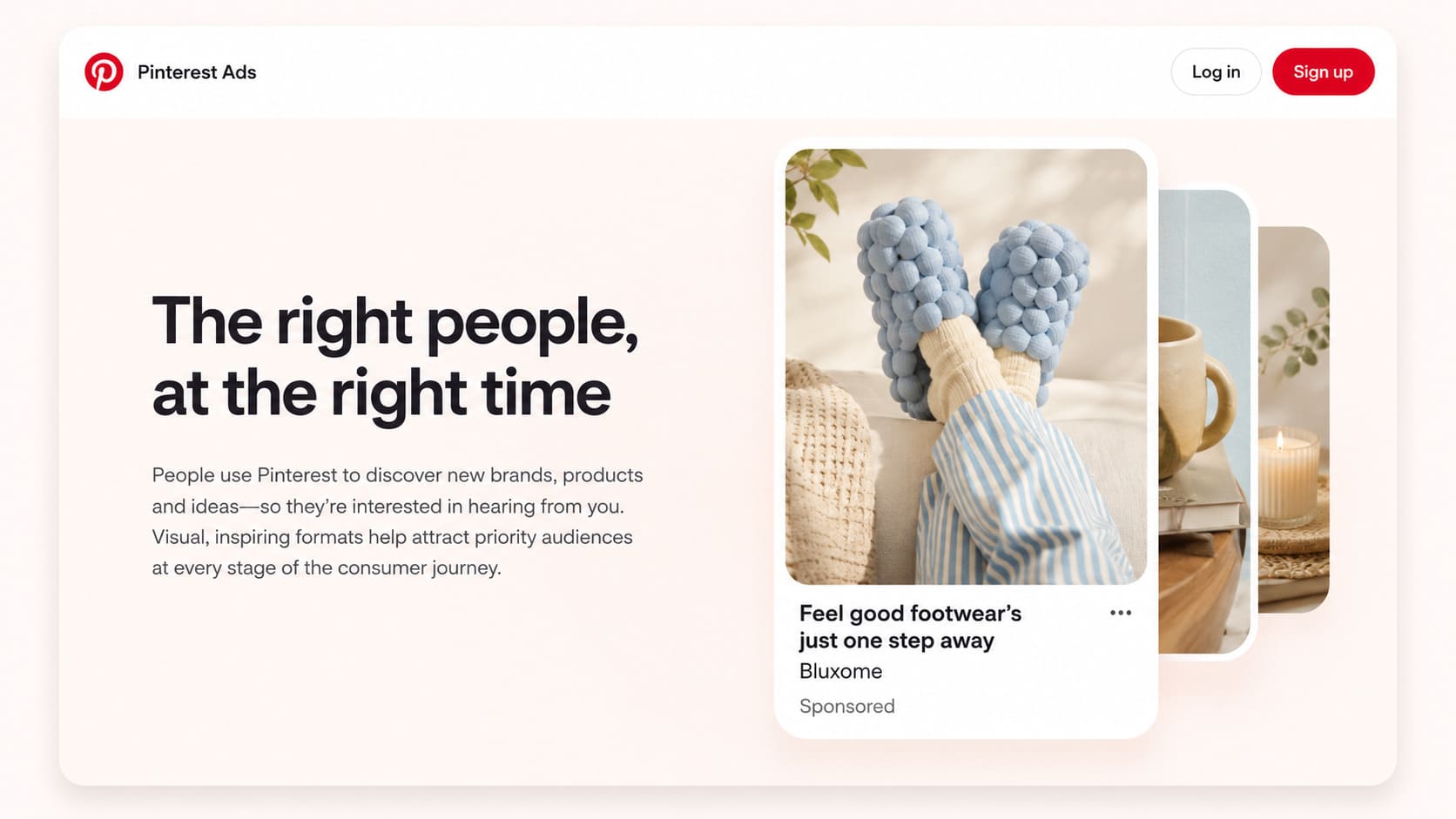
The reach argument is hard to ignore. In its Q1 2026 results, Pinterest reported an all-time high of 631 million monthly active users, up 11% year over year and its tenth straight quarter of double-digit user growth. The platform now handles more than 80 billion searches a month, and more than half of its audience is Gen Z — the fastest-growing segment.
What makes Pinterest users different from audiences on other social media platforms is purchase mindset. Roughly 96% of searches are unbranded, meaning people look for "minimalist kitchen shelving" or "summer linen dress," not a specific company. That hands new brands a real opening to enter the buying journey before a shopper has settled on who to buy from. Pinners also lean toward planning purchases rather than impulse browsing, which is why Pinterest's purchase intent runs far ahead of the social-platform average and why so many sales-minded Pinterest users report buying something based on a Pin.
So do Pinterest ads work? For eCommerce brands and DTC sellers, that combination — high intent, unbranded discovery, and a highly visual platform — makes Pinterest advertising a strong complement to your other paid ads, whether that's Google Ads or other social media ads. And because promoted Pins can keep surfacing in search results long after a campaign ends, often blending back into organic Pins, the value of a well-built Pin frequently outlasts the ad spend behind it.
Getting started: your Pinterest business account
Everything begins with a free Pinterest business account, which unlocks the Pinterest Ads Manager, analytics, and the product catalog tools you need to run campaigns. If you have an existing personal account, you can convert it in a few minutes or add a separate business account — either way it's free and gives you the dashboard, conversion tracking, and audience data that a personal profile doesn't get.
Before you spend a dollar, install the Pinterest Tag and connect the Conversions API. Together they let Pinterest measure outbound clicks, add-to-carts, sign-ups, and sales accurately — the signal that every modern bidding strategy depends on. Thin tracking is the quietest way to waste a budget, so treat measurement as step one, not an afterthought.
Pinterest ad campaign objectives
When you build a Pinterest ad campaign in Ads Manager, the first and most important decision is the campaign objective. Pick the wrong one and even great creative underperforms. Pinterest ad objectives are organized across the full funnel:
Awareness campaigns — maximize impressions and reach to increase brand awareness, ideal for new brands introducing themselves to a wider audience.
Consideration campaigns — drive qualified traffic, outbound clicks, and video views from people who are weighing options.
Conversions — optimize for lower-funnel actions like purchases, sign-ups, and add-to-carts.
Catalog sales — turn your product feed into shopping ads at scale for direct eCommerce performance.
A clean way to think about it: awareness campaigns fill the top, consideration campaigns warm the middle, and conversions or catalog sales close the bottom. Running multiple campaigns mapped to each stage usually beats forcing one campaign to do everything.
Pinterest ad types and ad formats
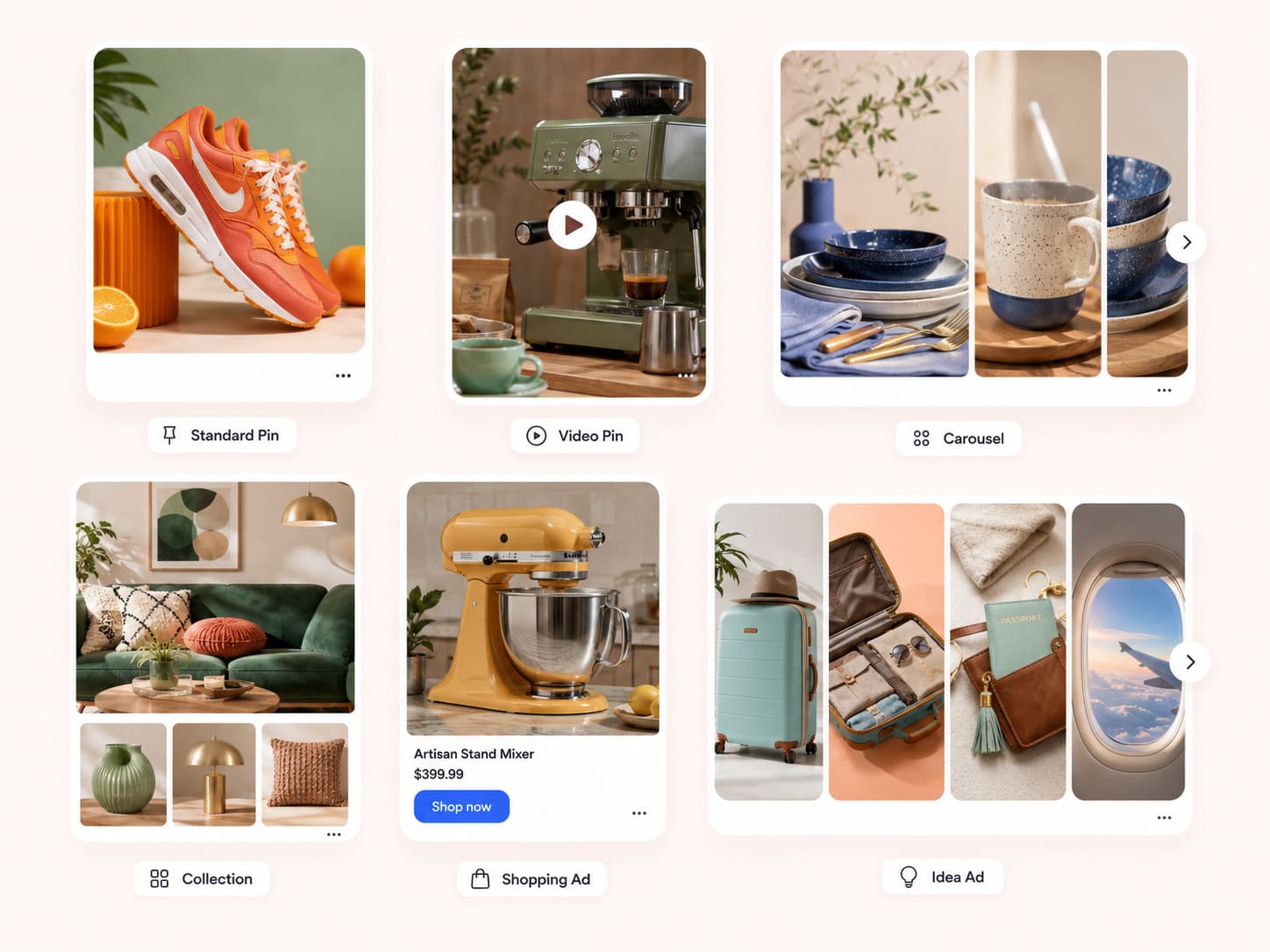
Pinterest offers several ad formats, each suited to a different storytelling job. Choosing the ad format that matches your campaign objective is half the battle. The main Pinterest ad types are:
Standard Pins (Promoted Pins) — a single ad unit built around static images in a 2:3 aspect ratio. The workhorse format for brand awareness and traffic. Once a user saves a promoted Pin, it can keep circulating like an organic Pin.
Video Pins — motion-based video ads that earn attention fast in the feed. Pinterest recommends 1:1, 2:3, or 9:16 ratios, with video lengths from 4 seconds to 15 minutes. Promoted video Pins, including a featured video at the top of a board, pair especially well with consideration and conversion goals.
Pinterest carousel ads — up to five swipeable images in a single ad unit, perfect for showing product collections, multiple angles, or steps in a tutorial. These carousel Pins are great when one static image can't tell the whole story.
Collection ads — a collection ad blends a hero lifestyle image or video with smaller product shots beneath it, inviting shoppers to browse your catalog in a more immersive way.
Shopping ads — shopping Pins pull from your product catalog with live pricing and availability, making them the most direct path from discovery to purchase.
Idea ads (Story Pins) — an immersive, multi-page format that combines images and video to tell a story, demonstrate a product, or walk through DIY projects, encouraging saves and follows.
Whatever the format, the creative assets need to feel native. Pinterest's own creative best practices push for vertical layouts (most people use this highly visual platform on mobile), concise ad copy, clear branding, and a specific CTA like "Shop now" on every asset. For standard image ads, the recommended spec is 1000 x 1500 pixels with a Pin title under 100 characters. Use text overlays sparingly and keep them inside the safe zone so nothing gets cropped on smaller screens — strong visual storytelling almost always beats text-heavy creative here.
If you want Pinterest ad examples to model, browse the ad detail page of top-performing promoted content in your niche: the ad detail and ad features that recur — clean product framing, a single clear offer, legible CTA — are the patterns worth copying.
Targeting your audience
Pinterest pairs intent signals with familiar controls so you can reach the right target audience:
Keyword targeting — match your ads to the search terms Pinners type, leaning into Pinterest's search-engine behavior and surfacing your Pins in relevant search results.
Interest targeting — reach users based on the categories and topics they engage with.
Audience targeting — build from your customer lists, site visitors, and engagement audiences, including everyone who previously engaged with your Pins or existing customers you want to win back.
Demographic targeting — refine by age, gender, location, language, and device.
Retargeting — re-engage previously engaged visitors and existing customers who didn't convert the first time.
A 2026 nuance worth noting: Pinterest's AI now leans on much broader signal than it used to, so over-narrow targeting can starve campaigns of the data they need. For lower-funnel campaigns especially, give the system room to find buyers rather than boxing it in.
How much do Pinterest ads cost
There's no fixed price — Pinterest ads cost depends on your campaign objective, competition, seasonality, audience, and creative quality. As a working benchmark, advertisers generally see CPCs in the range of $0.10 to $1.50 and CPMs around $2 to $5, with cost-per-click sitting near the low end in less competitive niches and climbing in crowded ones. Relative to many other platforms and paid ads channels, that's affordable, and Pinterest's intent-rich audience tends to convert efficiently.
You control ad spend through CPC or CPM bidding strategies and daily or lifetime budgets. A practical starting point: $20–$50 daily for awareness to gather meaningful data, and at least 4x your target cost-per-acquisition for conversion campaigns so the optimizer has enough volume to learn.
The biggest cost lever in 2026 is automation. Pinterest Performance+ bundles its AI bidding, budgeting, targeting, and creative tools into a simplified setup with roughly half the inputs, available for Consideration, Conversion, and Catalog sales objectives. In Pinterest's own A/B testing, 78% of comparisons showed Performance+ campaigns beating traditional setups, with advertisers seeing 10%+ improvements in CPC and CPA.
The guidance is straightforward: if you're generating more than 50 weekly conversions, run Performance+ Conversion or Catalog Sales; under 50, start with Performance+ Consideration to build signal first.
Best practices for effective Pinterest ads in 2026
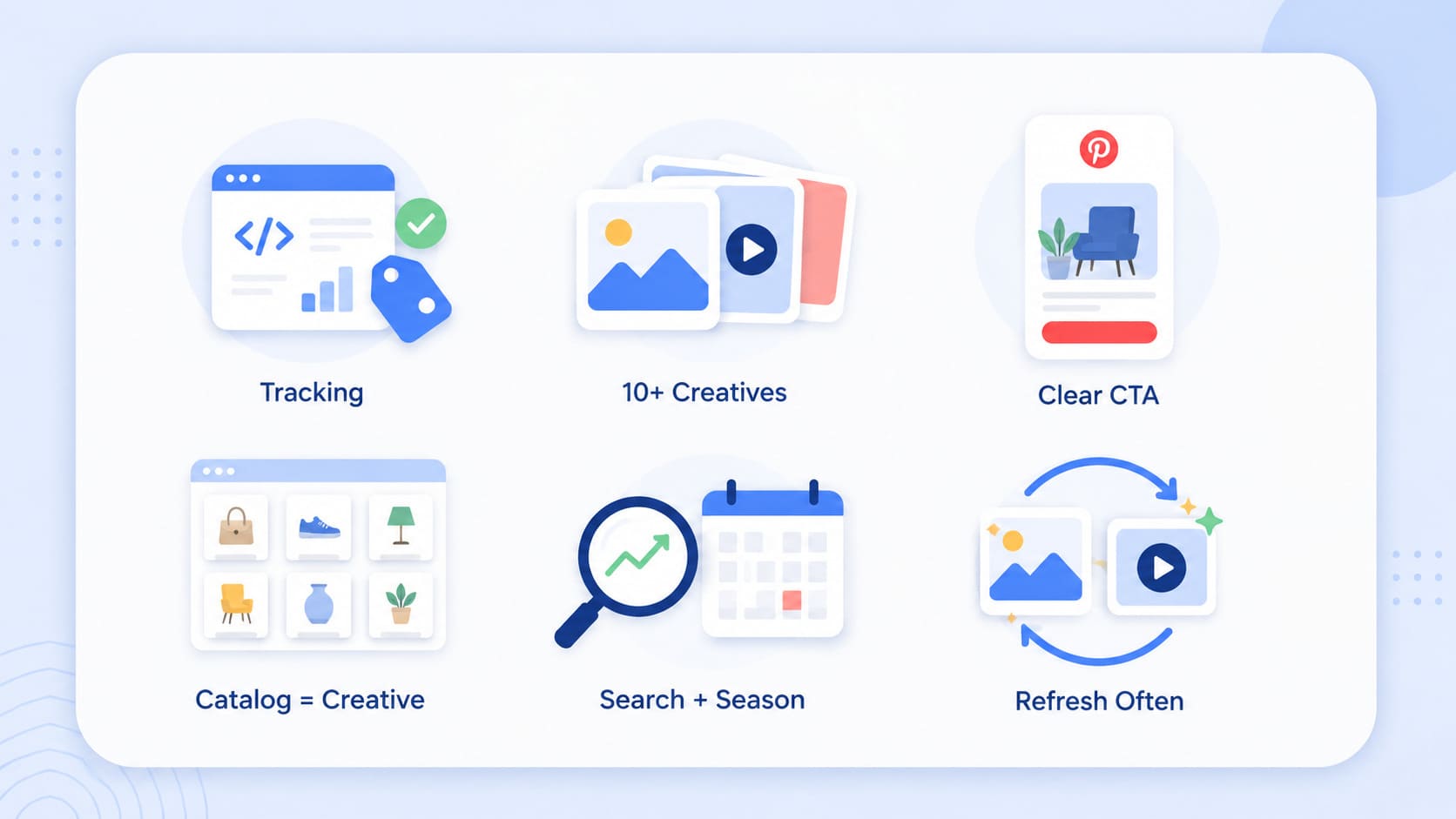
The defining shift this year is to stop treating Pinterest like ordinary social media and start treating it like a visual search and shopping engine. These best practices are what separate effective Pinterest ads from wasted spend.
Nail tracking before scale. The Pinterest Tag plus Conversions API is the foundation; without clean conversion data, the AI can't optimize and you can't measure campaign performance.
Feed the algorithm creative variety. Build at least 10 ads per ad group and test static images against video ads for the same offer. Let the system find the winning combinations instead of micromanaging.
Design for the decision, not just the look. Strong creative strategy helps a user choose — show the product clearly, use vertical formats, keep messaging concise, and add a direct CTA.
Treat your catalog as creative. Raw feed exports underperform; product images need to reflect Pinterest's visual, decision-oriented environment. Performance+ creative can auto-generate optimized shopping ads and collection ads from your catalog at scale.
Align with search intent and timing. Map keywords and creative to what people are actively planning, and lean into seasonal moments when demand spikes.
Refresh creative assets on a rhythm. Watch engagement metrics and update assets when performance dips or a seasonal moment arrives.
Turn high-intent clicks into sales with Funnelish
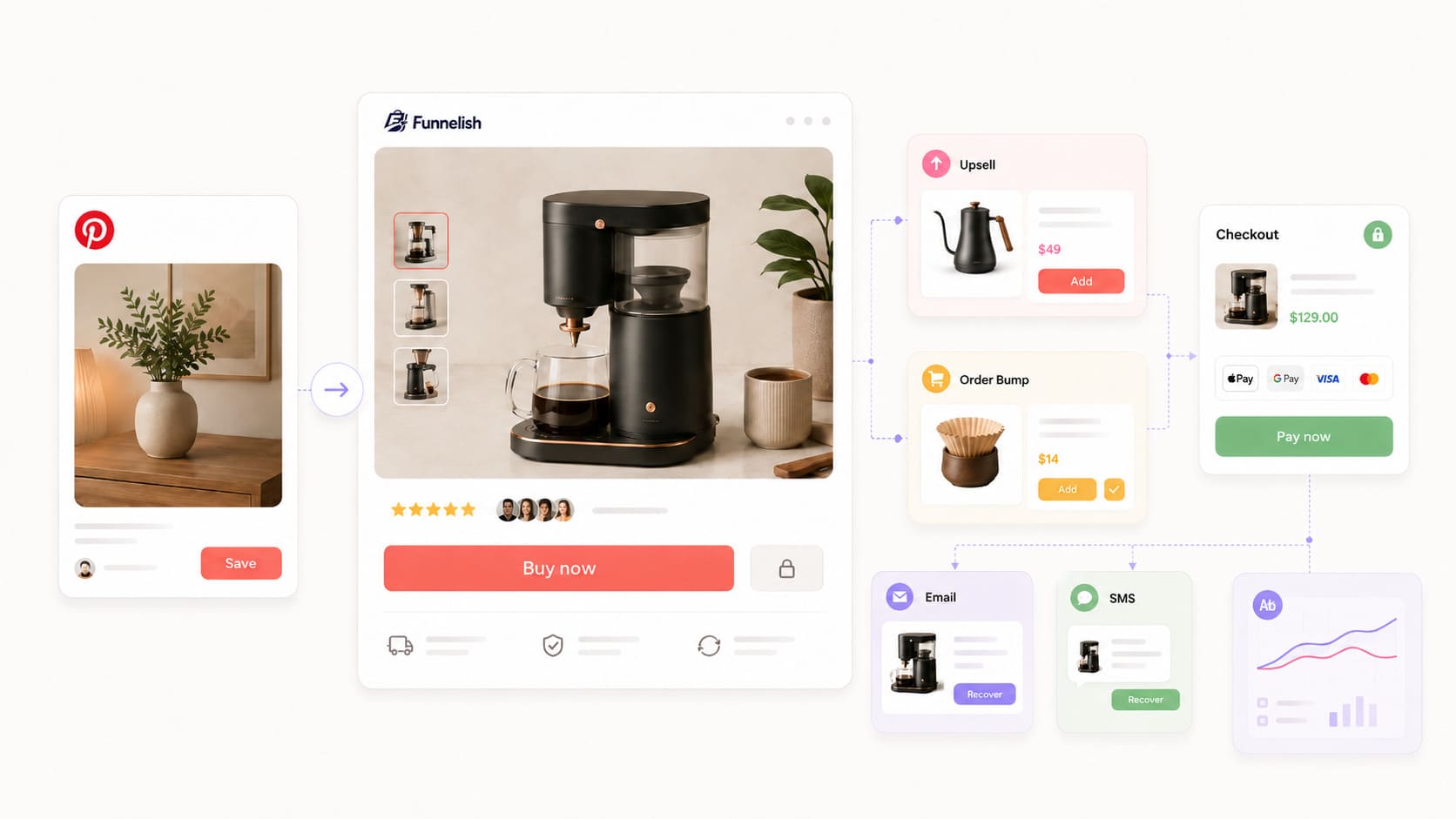
A Pinterest click is only worth what happens after it. Over half of visitors abandon a page that takes more than three seconds to load, so sending high-intent traffic to a slow or generic page quietly burns budget. This is where your landing page and post-click experience matter as much as the ad itself.
A purpose-built sales funnel can outperform a standard product page for ad traffic, because it focuses the visitor on one offer at a time. With a drag-and-drop page builder like Funnelish, you can stand up dedicated landing pages, checkouts, and confirmation pages without a developer — and because Funnelish pages are engineered to load in under a second, you stop losing the very Pinners you paid to attract.
Once a shopper lands, the goal is to maximize the value of every click. Order bumps and true one-click upsells lift average order value so your campaigns stay profitable even as competition pushes ad spend up, and native A/B testing lets you test headlines, pricing, and layouts against the same offer.
For the roughly 70% of shoppers who don't buy on the first visit, automated abandoned-cart emails and SMS recover sales from people who already showed intent — a natural extension of retargeting your previously engaged Pinterest audience. And with funnel-level analytics, you can connect campaign performance straight through to revenue rather than guessing where the drop-off happens.
Measuring Pinterest ad performance
Judge campaigns against the objective first, then against business outcomes. The metrics worth watching are impressions and reach (visibility), CTR and outbound clicks (creative resonance), landing-page behavior and conversion rate (post-click quality), cost per result, and ROAS. Because visual appeal drives everything on Pinterest, look at performance at the creative level — which specific images or videos produce the best click and conversion patterns — and feed those learnings into your next test cycle. When your ad analytics and your funnel analytics agree on the numbers, you can scale with confidence.
Bottom line
Pinterest in 2026 rewards advertisers who respect how the platform actually works: a search engine for high-intent shoppers, powered increasingly by AI. Match your campaign objective to the funnel stage, build native vertical creative across the right ad formats, lean on Performance+ where it fits, and obsess over the post-click experience. Get the click and the destination right, and Pinterest's unique blend of discovery and purchase intent turns into measurable, repeatable sales.
Frequently asked questions
Is it worth running ads on Pinterest?
Yes. Pinterest's value isn't raw scale — it's intent. Users arrive searching for ideas and products, the majority of searches are unbranded, and weekly users buy at rates well above the social-platform average. CPCs and CPMs are generally affordable, promoted Pins keep working in search after the campaign ends, and Performance+ automation has measurably improved cost-per-acquisition for advertisers.
The brands that find it "worth it" are the ones that pair the right campaign objective with strong vertical creative and a fast, conversion-focused landing experience. If you send Pinterest's high-intent traffic to a slow or unfocused page, even cheap clicks won't pay off.
How much do you get paid per 1,000 views on Pinterest?
Effectively $0 directly — and this is the most common misunderstanding about the platform. Pinterest does not pay creators per view, and there is no ad-revenue-share tied to impressions; the Creator Rewards program was discontinued in 2023 and hasn't been replaced.
Instead, Pinterest sends purchase-ready traffic that you monetize through methods you control: affiliate commissions, brand partnerships, and product sales. Because that traffic carries high intent, 1,000 Pinterest views can be worth far more than the same views on an entertainment-first platform — but the revenue comes from what those visitors do after they click, not from the views themselves.
In practice, creators who treat Pinterest as a discovery engine feeding a monetized site or store see the strongest returns.
Table of contents
Boost your eCommerce
sales today

24/7 support
No credit card required
Cancel anytime
24/7 support
No credit card required
Cancel anytime
