

CUSTOMER PORTAL SOFTWARE
One login, Everything your eCommerce customers need.
Funnelish gives your customers a branded, self-service customer portal where they track orders, manage subscriptions, and update billing on their own without a single line of code, and without flooding your support inbox.
See how it works

24/7 support
No credit card required
Cancel anytime
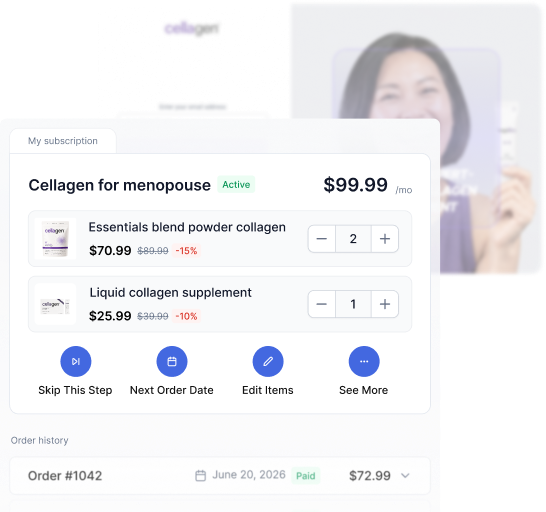
What is a customer portal ?
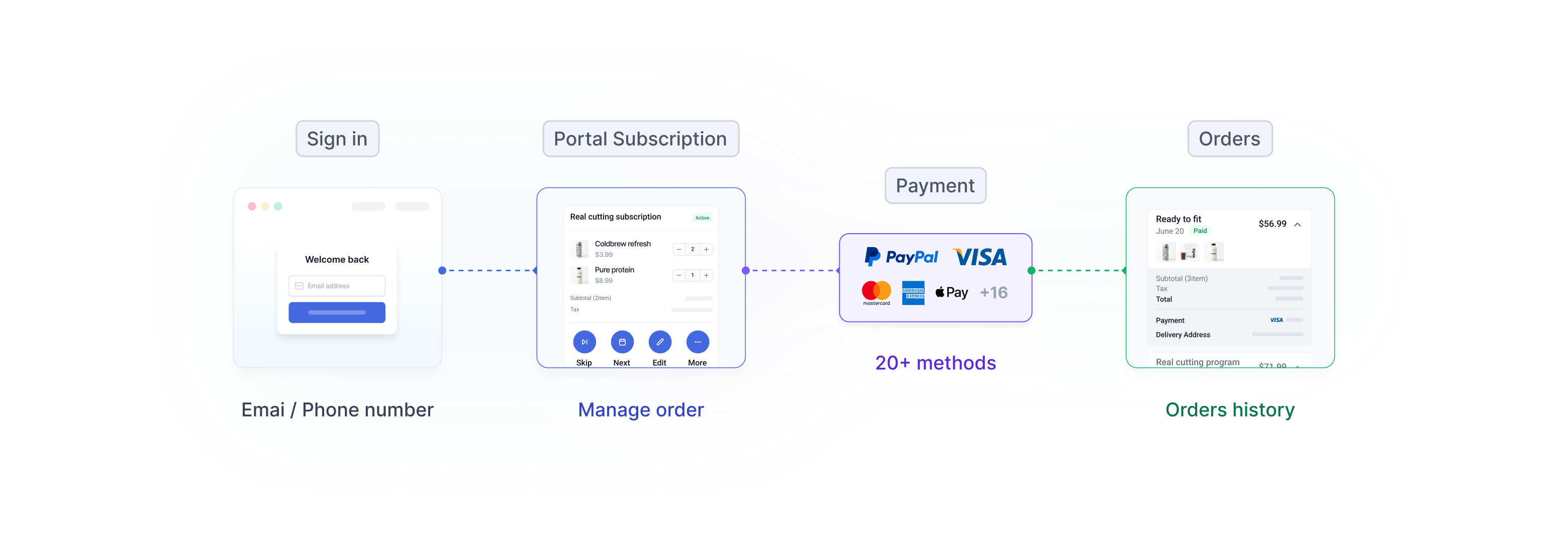
A customer portal is a secure, self-service space where your customers log-in once to see everything tied to their account: past orders and their details, active subscriptions, and saved payment methods. Instead of emailing your team to ask “What did i order?” or “ how do i pause my subscription?”, they open the portal and do it themselves.
For eCommerce and direct-to-consumer (DTC) brands, a customer portal is the difference between a checkout that ends at “thank you” and a post purchase experience that keeps customers coming back. It’s where a one-time buyer becomes a repeat, sulf-sufficent customer and where you quietly cut the support volume that scales with every new order.

Also known as a customer self-service portal, customer account portal, or customer billing portal.

features
Give customers their space, portals that scale with you
Every tool your customers need to manage their own account, in one branded portal you set up without code.
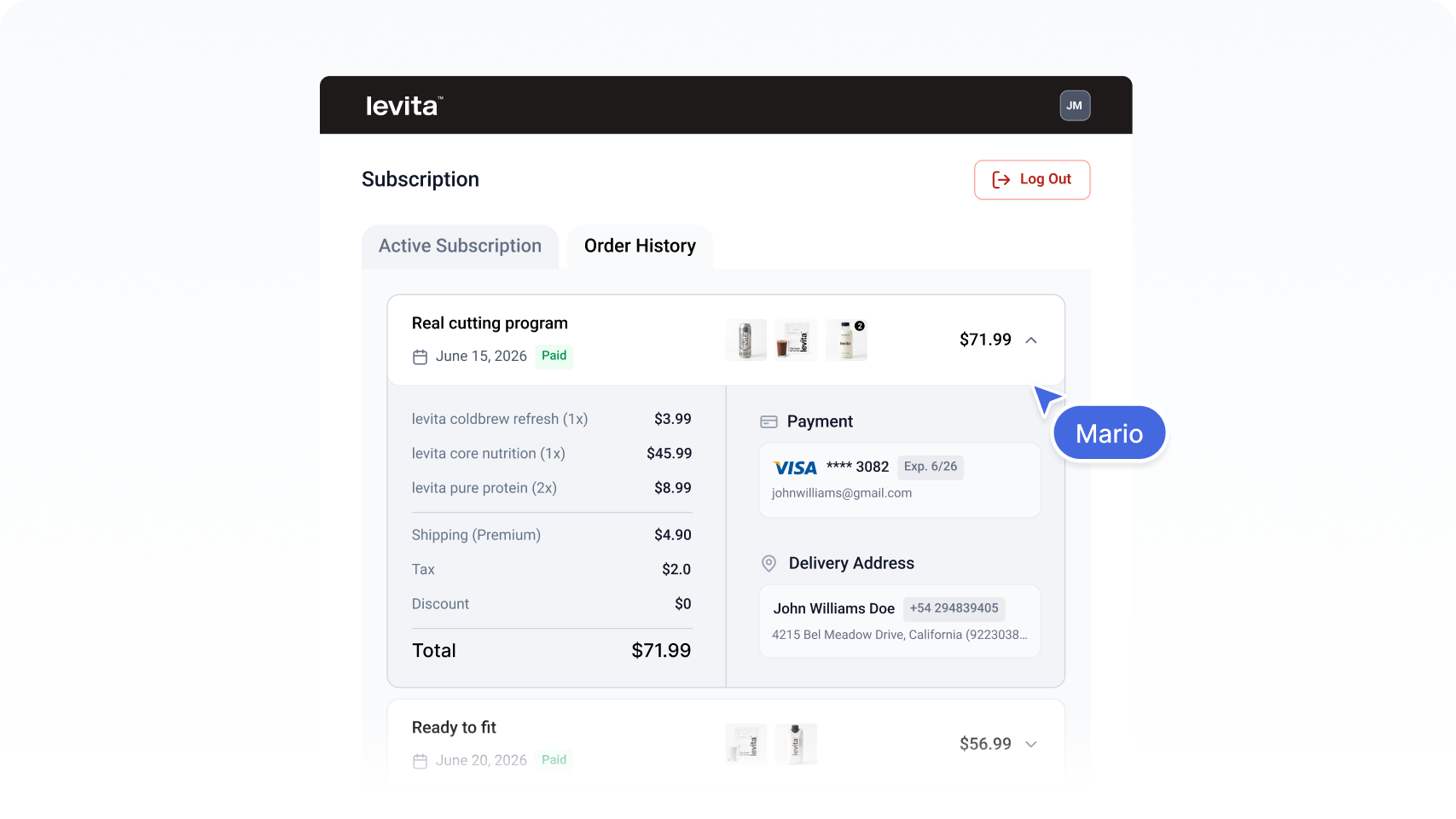

Self-service order history
A dedicated orders history tab lets customers see every past order, line items, taxes, discounts, and totals on demand. The most common support tickets answer themselves
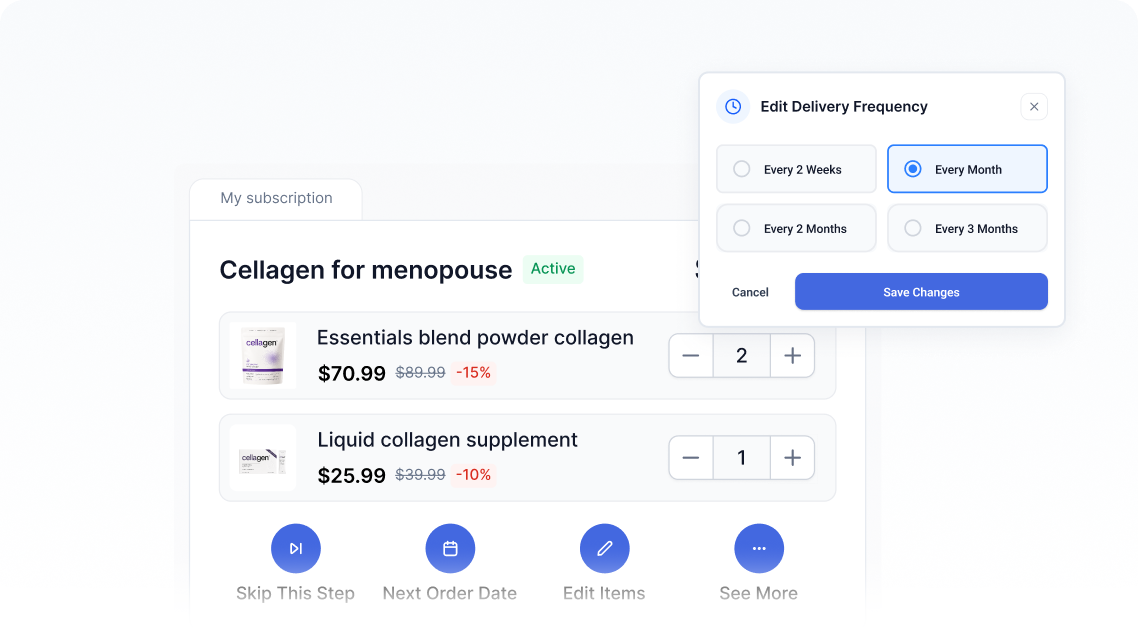

Subscription management
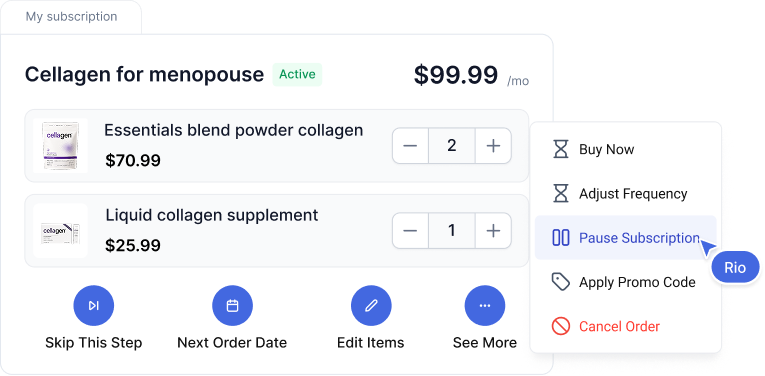
Subscribers skip, pause, resume, or cancel; adjust the next order date or get an order early; and change item quantities themselves. It’s powered by Funnelish Managed Subscriptions, built for physical eCommerce — not adapted from SaaS billing.
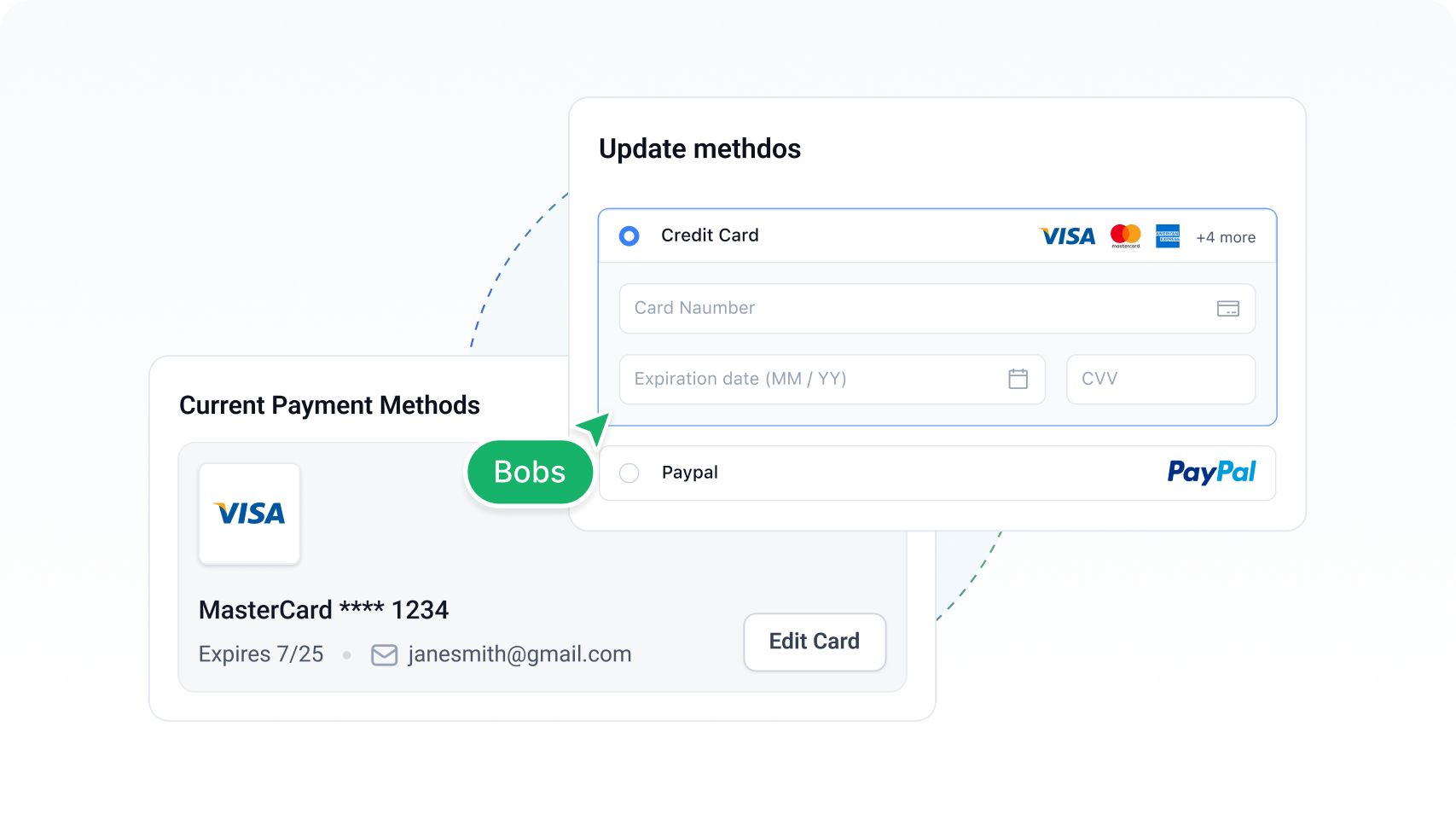

Billing & payment updates
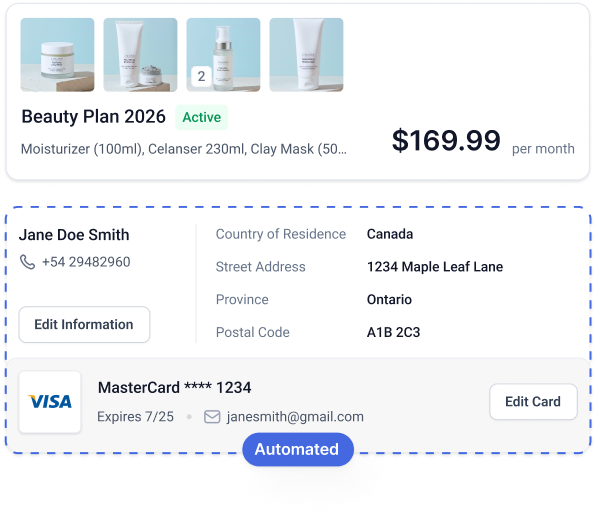
Customers update their saved card and fix a failed payment without contacting you. Since roughly 50% of subscription churn comes from failed card payments, self-serve billing directly protects recurring revenue.
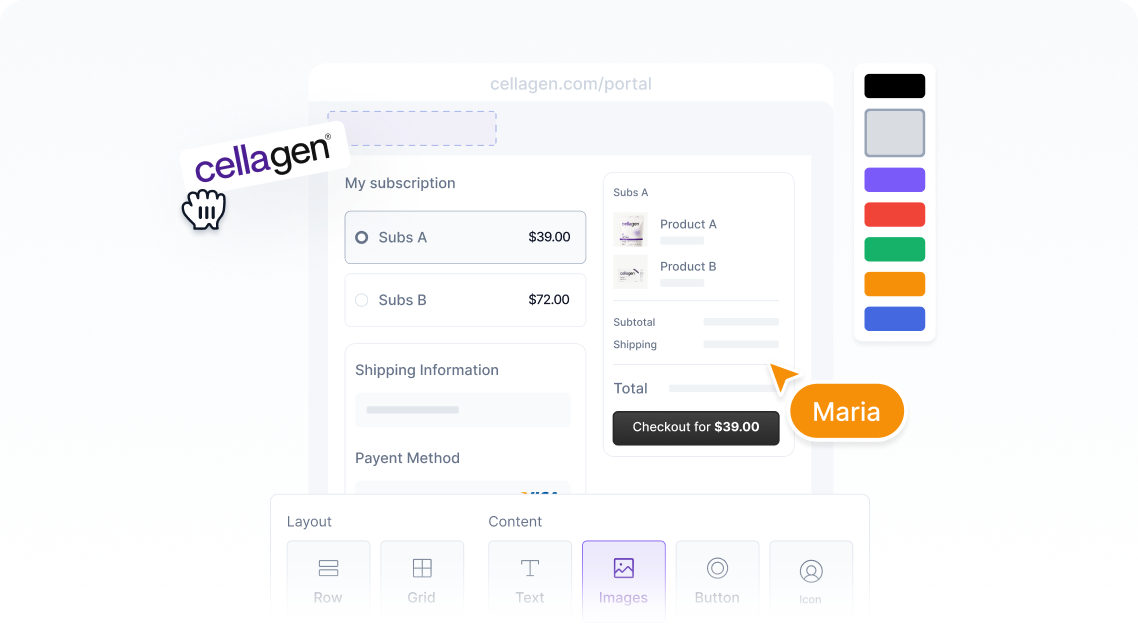

Fully branded, your way
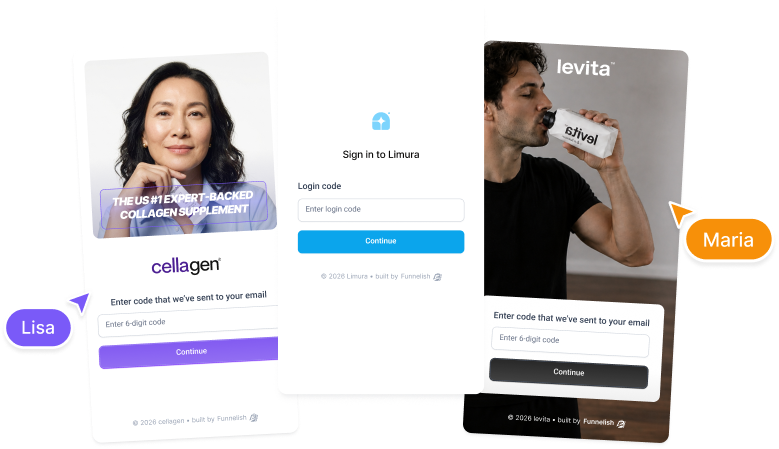
The portal carries your logo, colors, and domain, so customers stay inside a familiar environment. Self-service meets brand consistency.
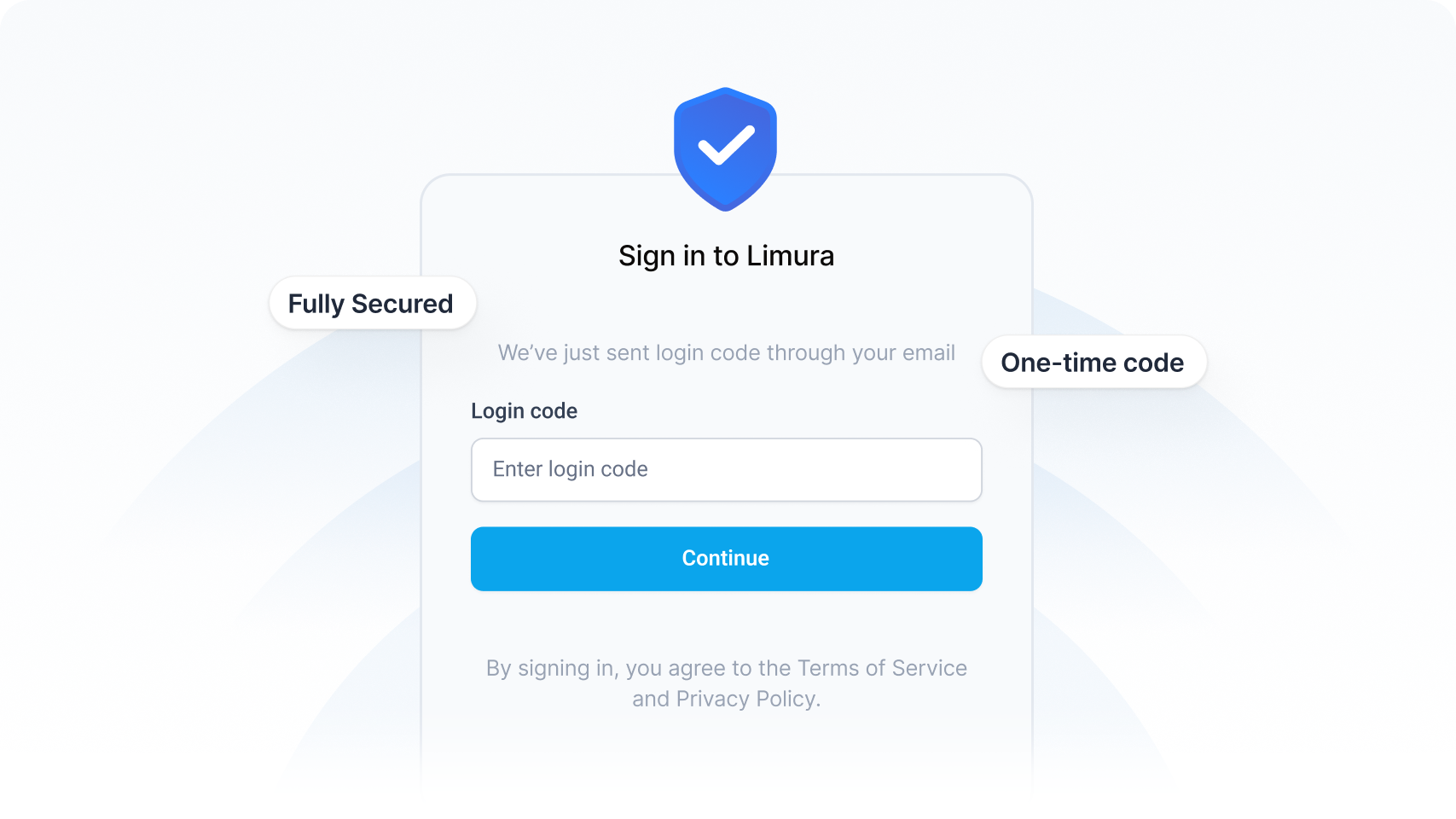

Passwordless, secure login
Customers sign in with their email or phone and one-time code, no passwords to reset, no accounts to provision. Making self-service this frictionless is one of the strongest levers againts voluntary cancellations.
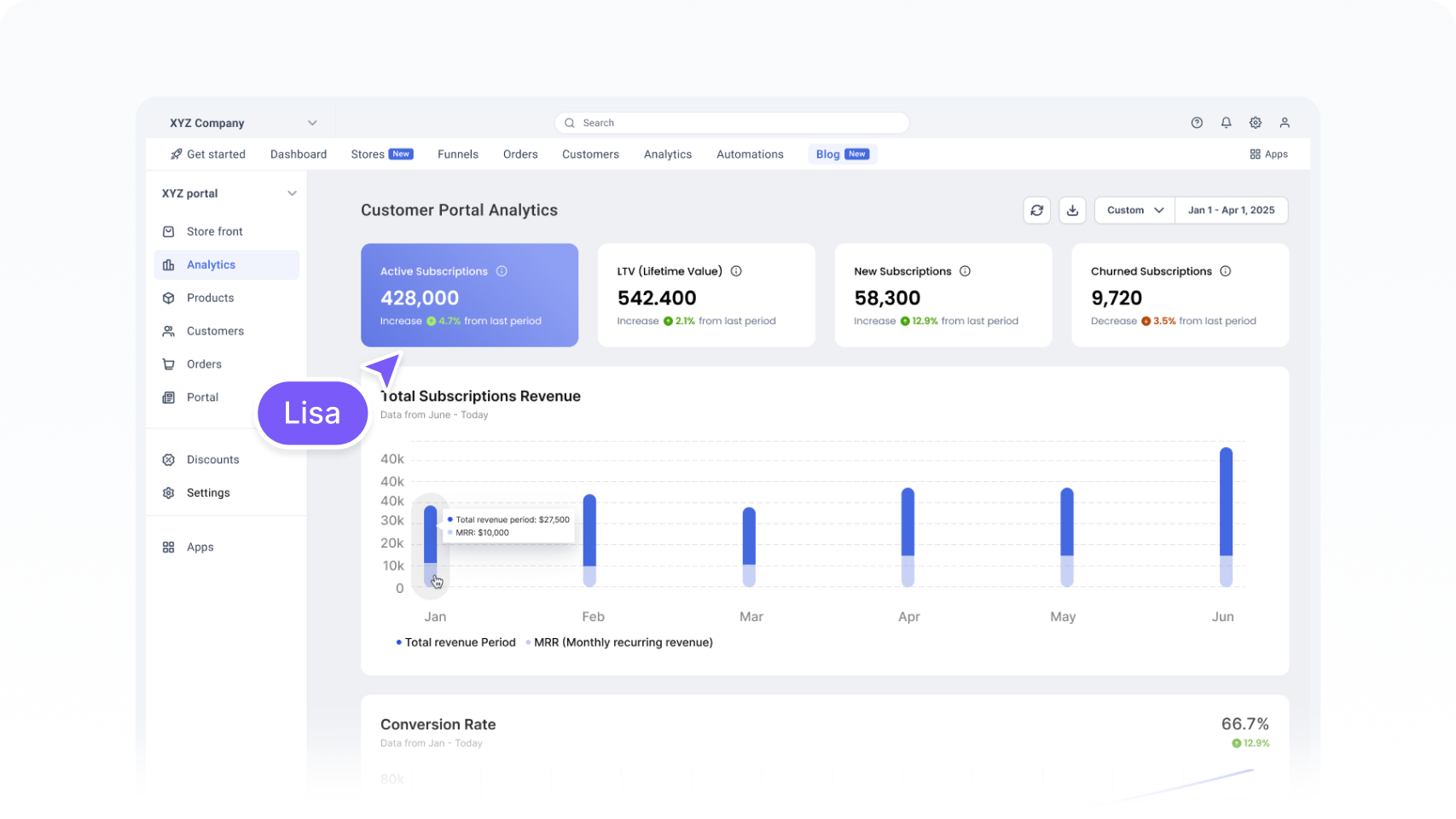

Portal access analytics
Track registered users and portal activity to spot friction and uncover optimization potential, the same data mindset behind funnelish analytics.
why it matters
Why your store needs a customer portal

6-7x
Cheaper to retain an existing customer than acquire a new one

3-5x
More lifetime revenue from subscription vs. one-time buyers

~50%
Subscription churn is caused
by failed card payments
It improves the customer experience
Customers increasingly expect to solve things themselve, instantly, at any hour. A portal gives them 24/7 control over their orders and subscriptions. The kind of post-purchase experience that turns first orders into loyal repeat business. This is the “backend” of your store, and as our guide on making money in the backend shows, existing customers spend around 67% more than new ones.
It takes pressure off your support team
Order status, address chanes, subscription pauses, card updated these repetitive tickets scale linearly with growth. Move them into a self-service portal and your team gets its hours back to focus on the conversations that actually need a human.
It protects recurring revenue
Flexibility is the antidote to churn. When a subscriber can pause or skip instead of cancelling, you keep the relationship alive. Our breakdown of the eCommerce subscription model shows that cutting monthly churn from 5% to 3% nearly doubles a cohort’s two-year retention.
It keeps customers on your brand
A branded portal means customers never bounce to a generic third-party login. Every touchpoint from your checkout to the post-purchase portal reinforces your brand and your data ownership.
SETUP
How to create a customer portal, no code required
You don’t need developers. The portal is built in the same drag-and-drop editor as your funnels you design the screens, bind them to live customer data, and Funnelish handles the secure login and backend actions
Launch &
Brand it
1
Shape the
experience
2
Connect your
store data
3
Choose what customers can do
4
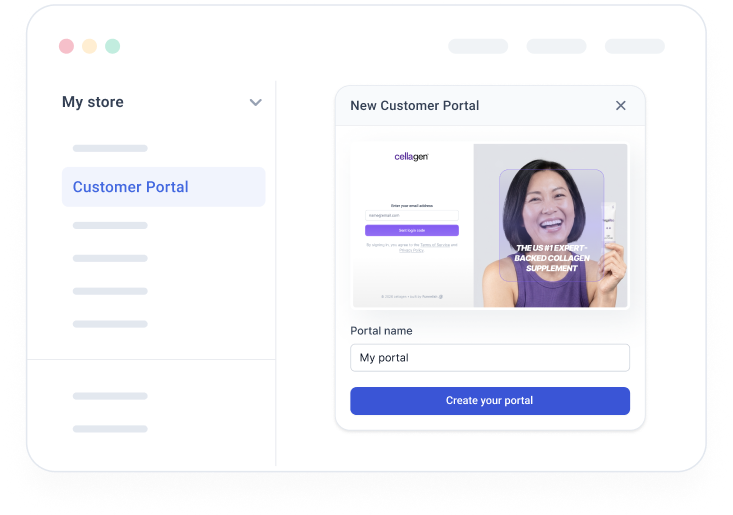
Spin up your portal and make it yours — your logo, colors, and domain — so it feels like a natural part of your store.
Layout the sign-in and account screens your way, giving customers a clean, on-brand place to manage everything.
Orders, subscriptions, and account details fill in automatically, so every customer sees exactly their own information. Powered by managed subscriptions.
Turn on the self-service actions that matter — pause, skip, cancel, update payment — then go live. Customers sign in securely and take it from there.
SETUP
How to create a customer portal, no code required
You don’t need developers. The portal is built in the same drag-and-drop editor as your funnels you design the screens, bind them to live customer data, and Funnelish handles the secure login and backend actions
Launch & Brand it
1

Spin up your portal and make it yours — your logo, colors, and domain — so it feels like a natural part of your store.
Shape the experience
2

Layout the sign-in and account screens your way, giving customers a clean, on-brand place to manage everything.
Connect your store data
3

Orders, subscriptions, and account details fill in automatically, so every customer sees exactly their own information. Powered by managed subscriptions.
Choose what customers can do
4

Turn on the self-service actions that matter — pause, skip, cancel, update payment — then go live. Customers sign in securely and take it from there.
WHO IT’S FOR
Built for modern eCommerce & DTC brands
Subscription brands
Replenishment, curation, or membership models where flexible self-management keeps churn low. See the subscription playbook.


Shopify stores
Add a self-service portal alongside your Funnelish for Shopify checkout and upsell flows.

related resources
Go deeper on portals, subscriptions & retention

BLOG
Ecommerce Subscription Model in D2C: Build Predictable Revenue That Compounds
How churn, retention, and self-service portals drive subscription LTV.

BLOG
Making Money in the Backend of Your Ecommerce Store
Why post-purchase experience and retention outperform acquisition.

BLOG
What Is Stripe in 2026: Features, Pricing & What Merchants Need to Know
Understand the billing engine behind self-serve payment updates.

COMMUNITY
Ecommerce Subscription Model in D2C: Build Predictable Revenue That Compounds
How churn, retention, and self-service portals drive subscription LTV.

COMMUNITY
Collect Payments in Your Funnel: Start Here
Set up the payments layer your customer portal builds on.

COMMUNITY
Funnelish Explained #1: Get Started & Dashboard
Your first steps in the Funnelish dashboard, where portals are enabled.
FAQ
Customer portal questions, Answered
A customer portal is a secure, self-service space where your customers log in once to view order history, manage subscriptions, update payment methods, and keep their billing current on their own - without emailing support.
In the Funnelish dashboard, go to …More → Customer Portals and create your portal, then design the login and portal screens in the drag-and-drop editor. Bind elements to each customer’s live data (subscriptions, orders, billing) and assign no-code button actions like pause, skip, or cancel. Customers then sign in with their email or phone and a one-time code. See the Customer Portals documentation for the full walkthrough.
Yes. When customers can track orders, pause or cancel subscriptions, and update billing themselves, the most common repetitive tickets disappear - freeing your team for higher-value conversations.
Yes. Subscribers can skip, pause, resume, or cancel; adjust the next order date or request an order early; change item quantities and remove items; and update their payment method, contact, and shipping details - all self-service. Cancellations trigger a confirmation popup that can collect a reason.
The customer portal is included with Funnelish, and you can try the full platform free for 14 days with no credit card required.
Boost your E-commerce sales today
Give your customers one login for everything and give your support team its hours back.

No credit card required
Cancel anytime
24/7 Support
Boost your E-commerce sales today
Give your customers one login for everything and give your support team its hours back.
No credit card required
Cancel anytime
24/7 Support
