

Shopify Magic: What It Is and How to Make It Work for Sales
31 March 2026
Anna P.
14 minutes
If you've been running a Shopify store for more than a few months without exploring Shopify Magic, you've been doing more work than you need to. The product description you spent 40 minutes writing. The email campaign you cobbled together from a template. The product photo with the distracting background you couldn't quite fix. All of it is faster now — and the tools doing the heavy lifting are already sitting inside your Shopify admin, free, waiting to be used.
This post covers what Shopify Magic is, every significant feature it includes, and how to get real value out of each one — with specific examples, not vague promises.
What Shopify Magic AI Is

Shopify Magic is Shopify's suite of AI tools built into the Shopify platform. It's not a separate app you download or a third-party integration you configure. It's embedded throughout the Shopify admin — in the product editor, the email tool, the theme editor, and more — and it works with your store's specific data to generate relevant, useful output rather than generic content.
Shopify Magic tools and experiences are available free, regardless of your subscription plan. However, the access and availability of specific features might vary. That's the first thing worth internalizing: this isn't a premium add-on. Every store owner on every plan has access to the core features. The merchants getting value from it are simply the ones who've taken the time to understand what it can do.
Shopify Magic covers two broad categories of capability:
Content generation (writing product descriptions, email copy, and page content)
Visual editing (AI image tools and product photography)
Sitting alongside it is Shopify Sidekick — the conversational AI assistant that handles tasks, answers questions, and analyzes data in real time. The two work together: Magic handles the content and images; Sidekick handles the conversation, analysis, and admin operations.
Shopify Magic for Product Descriptions
This is where most store owners discover Shopify Magic, and for good reason — writing compelling product descriptions is one of the most time-consuming tasks in running an online store. It's also one where most sellers are leaving money on the table, because weak or generic descriptions lose sales.
How It Works
Open any product in your Shopify admin. In the description field, click the AI icon. Shopify Magic asks you for a few keywords or phrases that describe the product — material, size, key feature, use case. It also picks up context from your product title and any existing information in the product file.
From those inputs, it generates a full product description in seconds. The output is structured to be both readable for customers and optimized for search engines — the kind of AI-generated product descriptions that communicate value clearly and use the language your customers search for.
Real Value for Online Stores: Scale and Consistency
The individual time saving per product can be 20–40 minutes of writing and editing. Multiply that across a catalog of 100 SKUs, and you're looking at a week's worth of writing compressed into a few hours of reviewing and refining AI output.
Shopify Magic helps maintain consistent tone across your product catalog — something that's genuinely difficult when multiple people are writing descriptions or when you're adding products in batches at different times. You can guide the AI-powered tools toward your brand voice by including tone descriptors in your prompts: "professional and technical" for a B2B tools store, "warm and conversational" for a gift brand, "bold and energetic" for an activewear business.
Practical Example: A Skincare Brand
You are a skincare brand adding a new serum inputs: "hyaluronic acid, vitamin C, lightweight texture, anti-aging, summer collection, for sensitive skin." Shopify Magic generates a full description that leads with the benefit (brighter, more hydrated skin), supports it with the ingredient story, and closes with suitability information. You then review, adjust two sentences to match their brand voice, and publish.
Total time: under five minutes.
Without AI, that same description — researched, written, reviewed, and published — typically takes 30–45 minutes. Across a summer collection of 20 new products, that's the difference between a morning task and a week-long project.
Tips for Getting Better AI-Generated Product Descriptions
Give it context, not just features. "Organic cotton, breathable, summer dress" gives Magic less to work with than "organic cotton, breathable, flowy midi dress for beach vacations and summer events, relaxed fit." The more specific your inputs, the more relevant the output.
Use the tone prompt. Shopify Magic accepts tone guidance. Inputting desirable keywords alongside tone direction — "playful," "minimal," "expert" — shapes the voice of the output significantly.
Treat it as a first draft, not a finished product. Shopify Magic does the heavy lifting. You add the human touch — the specific brand expression, the detail that comes from actually knowing the product, the line that makes a customer feel something. That combination produces better output than either alone.
Shopify Magic for Email Campaigns
Shopify Magic integrates with Shopify Email, and the capabilities extend beyond subject line suggestions into full email body content generation.
Subject Lines That Actually Get Opened
When composing a campaign in Shopify Email, click the AI icon next to the subject line field. Magic generates multiple subject line options based on the content of your email and any context you provide.
AI-optimized subject lines can increase open rates by 10–15%. Over the course of a year of weekly campaigns to a list of 5,000, that lift is meaningful — more opens means more clicks, more visits, and more purchases from every email you send.
Email Body Content
Shopify Magic also generates full email body content for campaigns. Describe what you want to communicate — a new collection launch, a seasonal sale, a product restock — and Magic drafts the email. For Shopify store owners who find email copywriting a slow or uncomfortable task, this removes the blank-page problem entirely.
The output follows email best practices: a clear opening hook, a body that communicates value, and a call to action that drives clicks. You edit for brand voice and details, but the structure and momentum are already there.
Practical Example: A Restock Campaign
You are a footwear brand that needs to email your list about a restocked best-selling boot. You describe the situation to Magic — popular product, limited restock, perfect for the upcoming season — and specify a tone: "excited but not pushy." Magic generates a subject line, a short email body with urgency woven in, and CTA copy. Your marketing team reviews, adds a real customer quote you have on file, and sends.
The whole process takes 10 minutes instead of the usual 45.
Shopify Magic for Product Images
Visual quality is one of the most significant conversion factors in ecommerce, and professional product photography has historically been expensive and slow. Shopify Magic's image tools change this without requiring any design skills.
Removing and Replacing Backgrounds
The most-used image feature in Shopify Magic. Upload any product photo and use the background removal tool to create a clean, white, or transparent background — the standard for professional product presentation. No Photoshop. No design expertise. No waiting for a designer.
Beyond pure removal, Magic lets you replace backgrounds with generated scenes. A skincare product placed against a marble surface. A camping accessory against a forest backdrop. A children's toy against a bright, colorful playroom. This lets you create multiple visual contexts for a single product without re-shooting — genuinely useful for testing which environment performs best in ads before committing to a full shoot.
Editing Product Images for Consistency
When a catalog has been built over time, product images are often inconsistently lit, shot against different backgrounds, or at different angles. Magic's image editing tools let you standardize presentation across your entire catalog — creating visual consistency that communicates professionalism and builds customer trust.
Practical Example: A Home Goods Brand
You are a ceramics brand that sells handmade mugs. Your product photos are beautiful, but shot against a mix of wooden tables and white backgrounds at different angles. Using Magic's image tools, you standardize all background images to a consistent warm, natural wood texture — pulling the catalog together visually without a single re-shoot. The process takes an afternoon rather than a two-day photo session.
Shopify Sidekick — AI Assistant Inside Your Admin
Sidekick is the conversational add-on of Shopify Magic. Where Magic generates content and edits images, Sidekick handles everything else: answering questions about your store data, analyzing your sales, performing tasks in the admin, and providing proactive guidance using everyday language.
Sidekick is trained to know all of Shopify and is designed to operate within the context of each merchant's shop. As new content is added and actions are taken, Sidekick takes these into account as it generates suggestions or completes tasks.
Multi-Step Task Execution — Biggest Upgrade
The most significant change to Sidekick in the Winter 2026 Edition is its ability to execute coordinated, multi-step tasks from a single prompt. A prompt like "create a 15% off discount for all products in the summer collection, valid for the next two weeks, and draft an email announcement for my subscriber list" now triggers a coordinated sequence across discounts, collections, and email — Sidekick handles this workflow without you navigating between sections.
This is a genuine shift from Sidekick as a helper to Sidekick as an executor. You describe an outcome; Sidekick plans and carries it out.
What Sidekick Can Answer
Ask Sidekick any question about your store and get instant answers based on your actual data:
"Which products had the highest conversion rate last month?"
"What's my average order value this week compared to last week?"
"Which customers haven't purchased in 90 days?"
"What are my top-selling products in Germany?"
These questions previously required navigating multiple reports in the Shopify admin, exporting data, and manually piecing together a picture. Sidekick answers them in seconds through a chat interface — making data accessible to anyone on a team regardless of their analytics experience.
What Sidekick Can Do
Beyond answering questions, Sidekick can perform tasks directly in your Shopify admin with your approval:
Create discount codes with specific parameters
Set up Shopify Flow automations for email notifications, stock alerts, or customer tagging — in plain language, no technical knowledge required
Draft marketing campaigns and email announcements
Make changes to your theme design settings when you pull up a chat in the theme customizer
You do need to be on at least the Grow plan to build custom internal apps with Sidekick, with hourly and weekly limits for app generation. Stores on the Basic plan have temporary access through April 2026. These generated apps work within the Shopify admin only — not on the storefront or at checkout — and can create useful internal tools like product reorder recommenders, discount link generators, and customer segment finders.
Sidekick Built-in Skills — Saving Your Most-Used Prompts
A new feature worth knowing about: Sidekick Skills lets you save your most-used prompts as reusable shortcuts, creating a library of commands you and your team can access instantly. Instead of retyping "show me bestsellers from last month" every time, save it as a skill and trigger it with a click. You can share skills across your team or add pre-built skills from Shopify's own skill library.
For teams managing a Shopify store across multiple people, this is where Sidekick starts to function less like a personal assistant and more like a shared operational system.
Voice and Mobile Access
Voice chat and a wide-mode interface are now available, allowing merchants to use Sidekick more naturally, whether at their desk or on mobile. For store owners who manage their business on the go, this makes Sidekick accessible without being tethered to a desktop browser.
Sidekick for Customer Support Triage
Sidekick integrates with Shopify Inbox, Shopify's built-in messaging tool. It can suggest responses to common customer questions based on your store's product data and policies — shipping times, return policies, product specifications — so your team can respond faster with accurate information. The AI-powered features handle the draft; you review and add a personal touch where it matters.
Shopify Magic for Page and Theme Content
Beyond product descriptions and email, Shopify Magic generates and edits content across other pages in your online store — including homepage sections, collection page descriptions, About pages, and custom page content.
If you are creating content for a new product launch or seasonal campaign, this extends the time-saving benefit beyond the product catalog into the broader storefront. A summer collection launch doesn't just need new product descriptions — it needs a homepage hero headline, a collection page intro, and potentially an email campaign. Magic can generate all of it from a brief, keeping the voice consistent across every touchpoint.
Language Support: Sell Online in Multiple Markets
Shopify Magic AI content features support English, German, Spanish, French, Italian, Japanese, Portuguese (Brazilian), and Chinese (Simplified). This is specifically for AI-generated content. For how many languages your Shopify store can sell in overall, the answer is broader: all plans from Basic and above allow up to 20 languages from a single store using the free Translate & Adapt app.
For ecommerce businesses expanding into new markets, Magic handles AI content generation in supported languages while the store's translation infrastructure covers the full range. The AI understands context in each language rather than word-for-word translation, which produces more natural output and reduces the editorial work required before publishing.
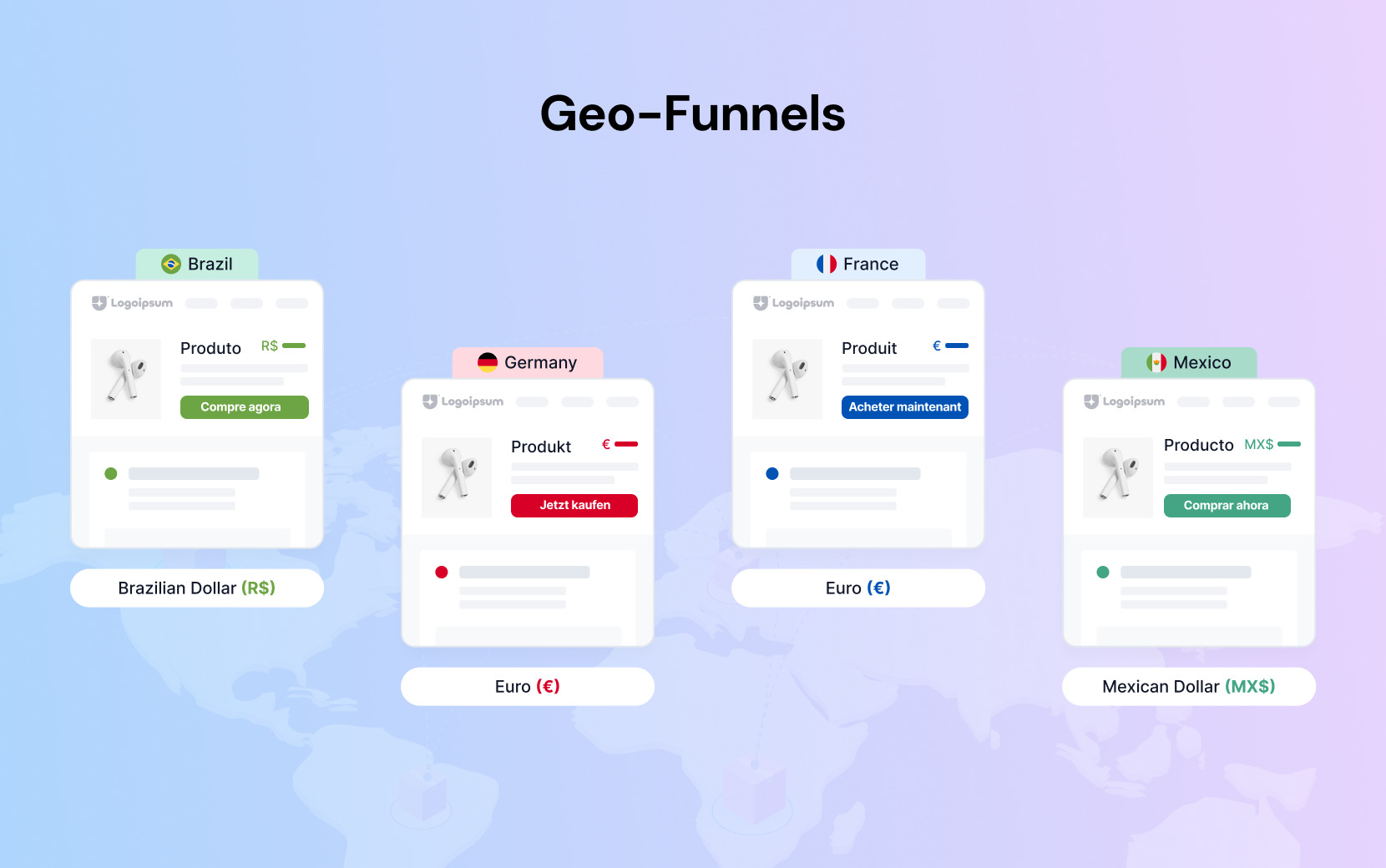
Language support is only part of the international selling equation, though. Customers in different markets don't just expect to read your store in their language — they expect to see their local currency, their preferred payment methods, and offers that feel relevant to where they are. Here, Shopify Magic's translation capability and a tool like Funnelish's geo-funnels work together.
Funnelish lets you display entirely different content, pricing, payment methods, and offers based on a visitor's location — automatically, with no code. A visitor from Germany sees EUR pricing and local payment options like SEPA; a visitor from Japan sees JPY and the payment methods they trust. Combined with Shopify Magic's ability to generate product copy in those languages, you get a genuinely localized experience rather than just a translated one.
What Shopify Magic Doesn't Do
Being clear about the limitations is as important as understanding the capabilities.
Shopify Magic generates content based on what you give it. If you provide thin inputs — a product name and nothing else — you'll get thin output. The quality of what comes out is directly proportional to the specificity of what goes in.
Magic also doesn't replace human judgment on brand voice, cultural nuance, or the product knowledge that comes from actually using and understanding what you sell. For complex multi-variable analyses, cohort analysis, and deep statistical investigations, Sidekick's current capabilities have limits — for advanced analytics, dedicated tools remain necessary.
So, use Magic for the heavy lifting on speed and scale. But also use human review to refine the content so it feels genuinely on-brand. The combination is consistently faster and often better than either approach alone.
Bottom Line
Shopify Magic removes a significant amount of the manual work that slows Shopify store owners down — writing product descriptions, editing images, composing emails, analyzing data — and makes it available for free, inside the admin you're already using every day. The stores that get the most from it are the ones that use it consistently, not occasionally.
But content creation and admin efficiency are only half the equation. The other half is what happens when a customer arrives at your store — how fast the page loads, how frictionless the checkout is, and whether there's a post-purchase strategy that increases what each customer spends before they leave.
Where Shopify Magic helps you create better content faster, Funnelish gives you the conversion infrastructure to make sure that content actually closes — sub-second landing pages, a checkout built to minimize friction, post-purchase upsells that increase average order value without additional ad spend, and geo-funnels that adapt your offer to where each visitor is coming from.
The two work together, not against each other. Use Shopify Magic to do the heavy lifting on content. Use Funnelish to make sure the traffic you're paying to acquire actually converts.
Start your free 14-day Funnelish trial →
Shopify Magic FAQs
How does Shopify Magic work?
Shopify Magic uses large language models — computer programs designed to process and understand human language — to generate suggestions for content such as product descriptions, email subject lines, and headings in your online store, using the information that you provide. For image editing, it applies computer vision to remove backgrounds, generate new scenes, and standardize visual presentation. Sidekick, the conversational AI assistant, analyzes your store's actual data in real time to answer questions and perform tasks directly in the Shopify admin.
How much is Shopify Magic?
Shopify Magic tools and experiences are available free, regardless of your subscription plan. There is no additional charge for using product description generation, email content, image editing, or Sidekick. You pay for your Shopify subscription — the AI features are included. The one notable exception is Sidekick's custom app generation feature, which requires the Grow plan or higher for permanent access, though Basic plan stores have temporary access through April 2026. The core content generation and image editing features are available on all tiers at no extra cost.
How do I turn on Shopify Magic?
You don't need to turn it on — Shopify Magic is active by default in your Shopify admin. To access it, look for the stars icon (✦) in any content editing area: product descriptions, Shopify Email, the theme editor, or the image uploader. For Sidekick, click the chat icon in the sidebar of your Shopify admin. If you're not seeing Shopify Magic features in your admin, ensure your browser is up to date, and you're accessing the admin through the main shopify.com interface. All Shopify merchants on active paid plans have access to the core features.
Table of contents
Boost your eCommerce
sales today

24/7 support
No credit card required
Cancel anytime
24/7 support
No credit card required
Cancel anytime
