

WooCommerce Analytics: How to Stop Flying Blind and Scale Profitably
13 June 2026
Anna P.
6 minutes
Ever thought about the most expensive mistake you can make in ecommerce today?
If you are running an online store and checking your dashboard only to look at total daily revenue, you are operating blindly.
You might know how much money you made yesterday, but without deep ecommerce analytics, you have absolutely no idea how or why you made it. You are spending money on ads, launching new products, and sending emails purely based on gut feelings rather than hard data.
In 2026, the cost of acquiring new customers is simply too high to guess. If your tracking is off, your marketing budget will vanish before you realize what went wrong.
To make profitable marketing decisions, you need to track the whole customer journey. You need to know which campaigns are printing money and which ones are burning it.
Let's break down how to extract actionable insights from native WooCommerce analytics, how to properly track customer behavior, and why high-performing brands use dedicated funnel tracking to uncover their true key metrics.
Baseline: Native WooCommerce Analytics
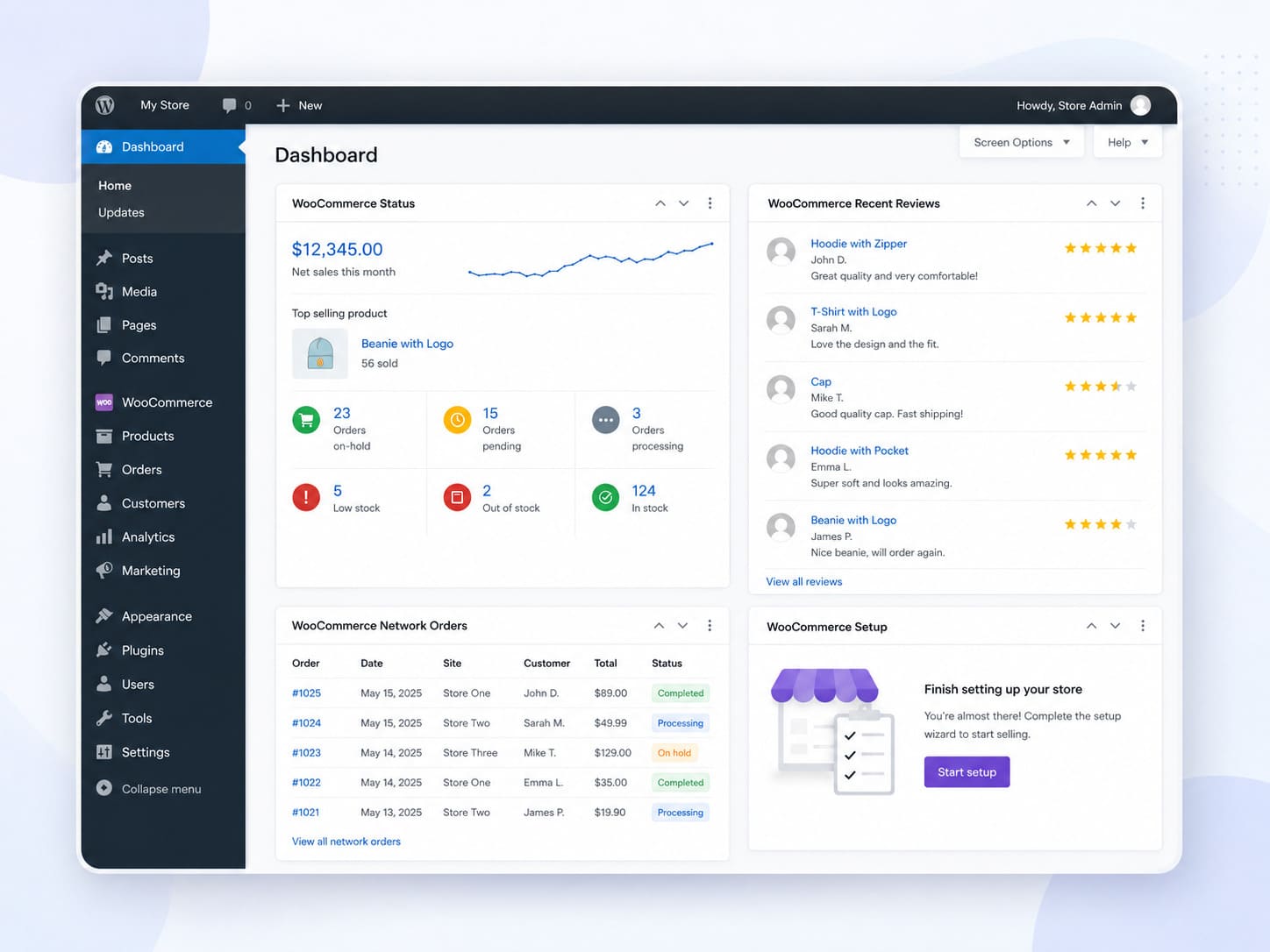
Let's start with the tools you already have.
When you log into your WordPress dashboard, the native WooCommerce dashboard provides a foundational overview of your store's performance.
If you navigate to the Analytics for WooCommerce tab, you get a clean data visualization of your recent activity. It replaces the old sales reports with a more modern, React-based interface.
What you can track natively:
Revenue overview: You can quickly analyze gross sales, refunds, and net sales. It also breaks down order shipping tax so you know exactly what is hitting your bank account.
Product performance: See which items are flying off the shelves and which ones are collecting digital dust.
Coupon Usage: Track how often discount codes are used during promotional periods.
Custom Reports: You can select a specific date range, analyze historical data, and download a csv file for your accountant.
For single currency stores doing basic volume, this built-in detailed data is a great starting point to spot macro sales trends.
Blind Spots: Where Native Tracking Fails
While native WooCommerce reporting is great for looking at past inventory, it struggles when you try to use it to predict future marketing strategies.
Relying solely on the native dashboard creates massive blind spots for WooCommerce store owners.
1. Multi-Currency Nightmare
If you have stores operating internationally and accepting multiple currencies, native WooCommerce struggles. The native multi-currency functionality often relies on third-party WooCommerce plugins that don't sync exchange rates perfectly in real-time. This leads to inaccurate analytics where your total revenue looks artificially inflated or deflated.
2. Paid Ads Broken Syndrome
Native WooCommerce tells you what sold, but it is terrible at telling you why it sold. It lacks a reliable order attribution report. When you are spending a lot on TikTok or Facebook Ads, and you cannot attribute a specific sale to a specific ad, your paid ads broken tracking will cause you to scale the wrong campaigns.
3. No True Funnel Tracking
Native tracking only sees the final purchase. It does not show you how many people landed on your checkout page but bounced before buying. You cannot see your opt-in rates or drop-off points.
Upgrading Your Stack: Google Analytics Integration
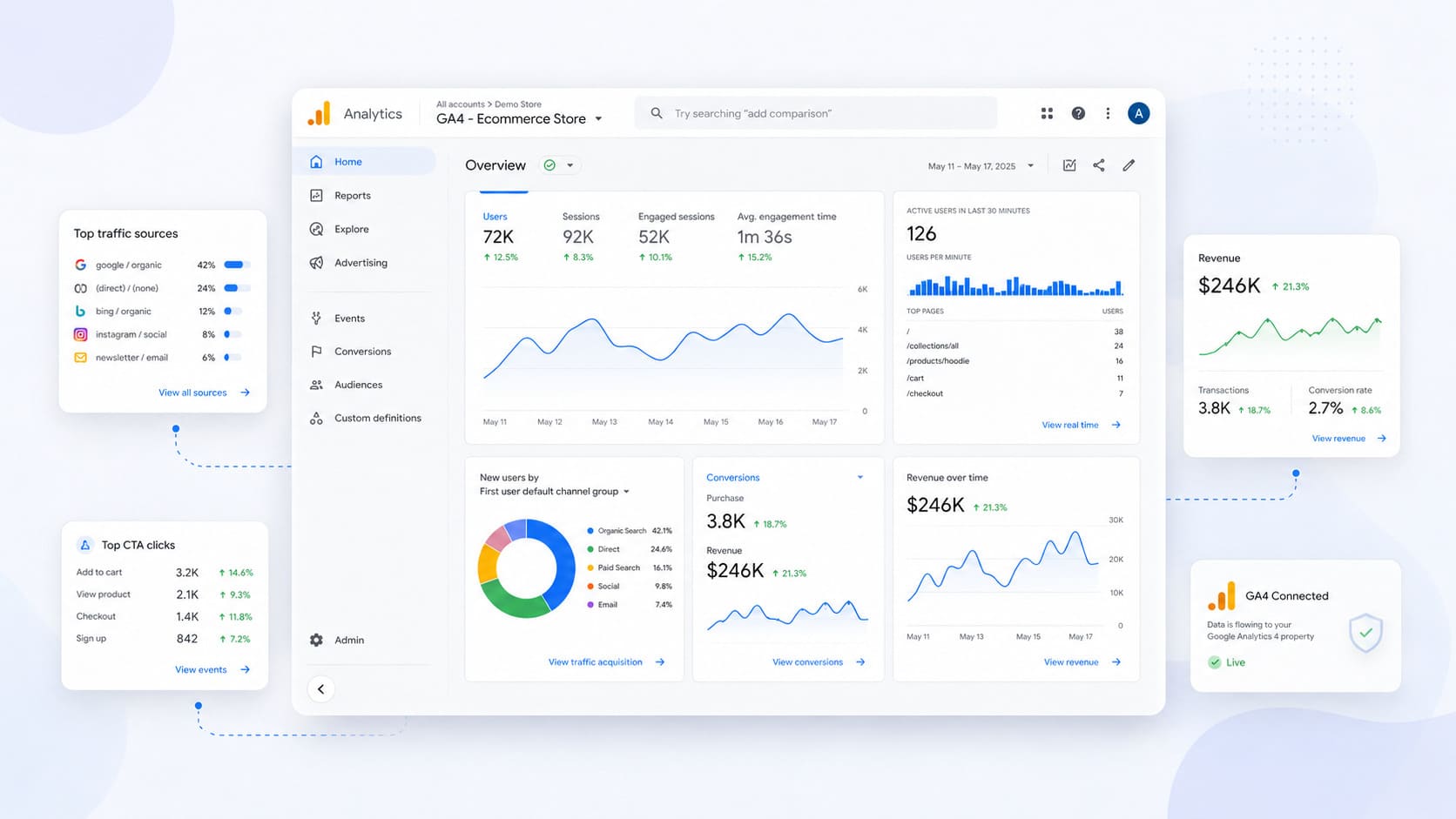
To fix the attribution problem and get deeper advanced insights, most store owners immediately turn to Google Analytics (GA4). By using a dedicated WooCommerce Google Analytics plugin, you can achieve seamless integration between your store and GA4.
Why you need GA4:
Website traffic: See how many people are visiting your site daily.
User behavior: Track how users interact with your pages. How long do they stay? What CTA buttons do they click?
Channel and source data: GA4 excels at identifying top performing channels. You can see if your buyers are coming from organic search, social media, or paid search.
However, GA4 in 2026 is notoriously complex. Setting up custom eCommerce tracking requires detailed instructions and often a developer. If the tags break, your real time data breaks.
Ultimate Fix: Funnelish Analytics Dashboard
If you want to make aggressive, data-driven decisions without needing a degree in data science, you need a tool built specifically for tracking the sales funnel.
Here, Funnelish acts as the ultimate ecommerce store upgrade.
Funnelish doesn't just track the final sale; it tracks every single micro-conversion along the way, giving you detailed insights into your WooCommerce store's performance inside a high-speed ecosystem.
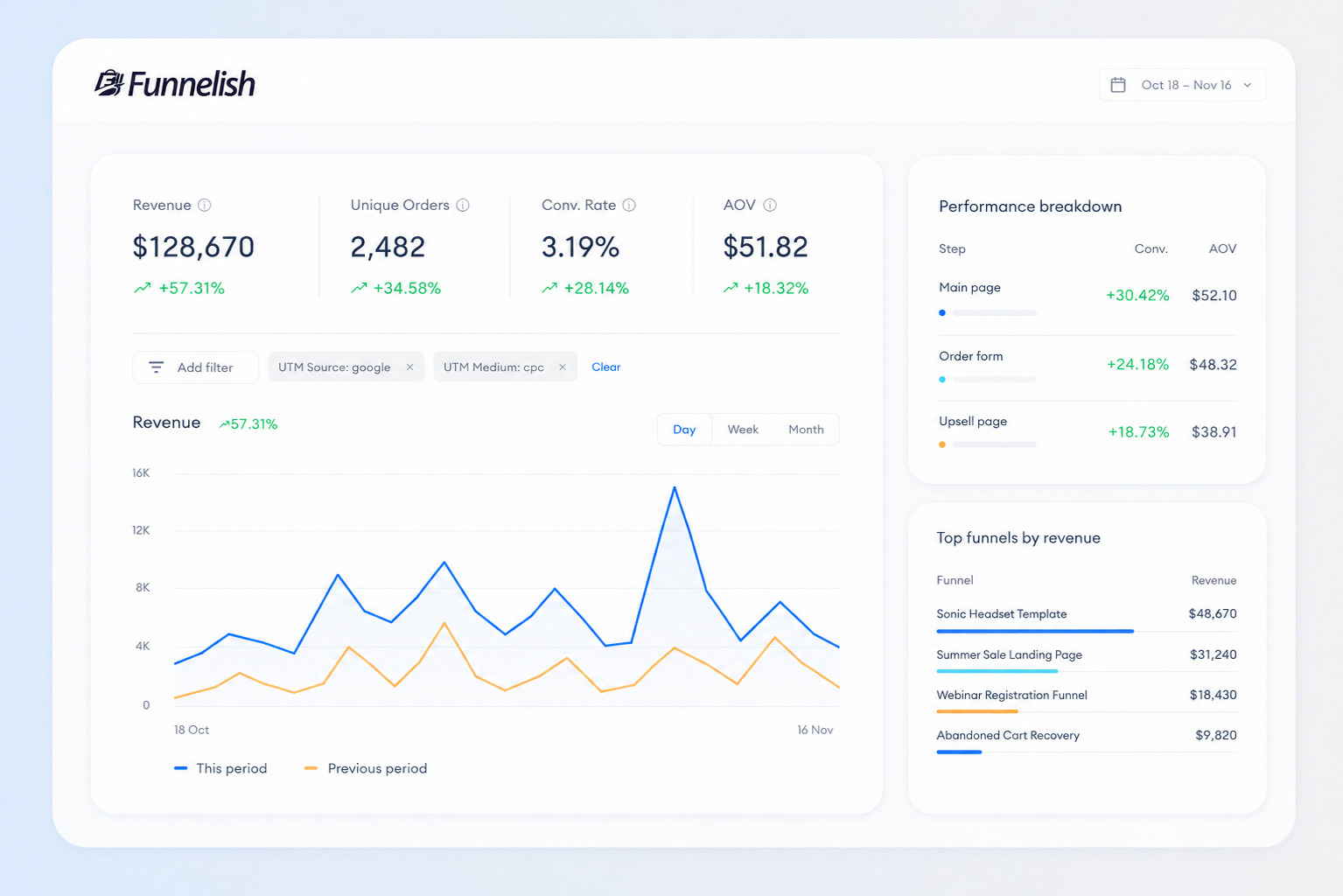
1. Dashboard Analytics at a Glance
When you click the Dashboard icon on the top menu bar in Funnelish, you get a pulse on your business. The top-line charts summarize total revenue, the number of unique orders, your conversion rate, and your average order value.
2. Deep UTM Filtering for Attribution
Say goodbye to guessing where your sales come from. Funnelish allows you to click Add filter to open a drop-down menu of options. You can filter your chart data based on specific UTM codes and referrer domains.
This allows you to combine channel data and isolate your top performing channels. You can finally see, with absolute certainty, that your new Facebook ad campaign is driving a higher average order than your organic Instagram posts.
3. Granular Funnel Analytics
If you open a specific funnel and navigate to the Funnel Analytics tab on the left sidebar, you unlock the holy grail of marketing decisions.
Funnelish collects data for six distinct metrics on every single funnel step, including page views, opt-in rates, and conversion rates.
Are you running A/B tests or geo funnels to improve customer targeting? Funnelish automatically expands the data table to show a row for each step variant. You can hover your mouse over any figure to see performance changes compared to the previous period.
3 Analytics Strategies to Boost Your Revenue
Once you have accurate sales data flowing through GA4 and Funnelish, it is time to use it. Here are three ways to use your analytics tools to scale.
1. Maximize Customer Lifetime Value
Your customer lifetime value is the most important metric in your business. It tells you how much a customer is worth over their entire relationship with your brand.
Use your sales data to identify your repeat customers. What did they buy first? If your data shows that people who buy your Starter Kit are 60% more likely to return and buy more later, you might want to allocate your marketing spend toward acquiring more Starter Kit buyers, even if you break even on the initial sale.
2. Segment and Conquer
Don't treat all your buyers the same. Use your analytics to segment customers into distinct buckets.
Find your VIPs (your high-performing segments who buy frequently) and give them early access to new product drops. Find your dormant customers (people who haven't bought in 6 months) and send them aggressive win-back marketing campaigns. Deep customer targeting always outperforms generic blasts.
Read more: Ultimate Ecommerce Email Marketing Guide
3. Kill Losers Quickly
The fastest way to increase your profit margin is to stop spending money on things that don't work.
Use your Funnelish UTM tracking to analyze trends and monitor your campaign performance ruthlessly. If your source data shows that a specific ad set is driving traffic but has a 0% conversion rate at checkout, kill the ad immediately. Reallocate that budget to your proven, top performing channels. Cut the underperforming channels without mercy.
Bottom Line on Analytics for WooCommerce
Running a profitable e-commerce brand requires absolute clarity.
If your WooCommerce store's performance is currently hidden behind confusing charts, broken tracking tags, and inaccurate exchange rates, you are bleeding money.
Start by mastering the native WooCommerce dashboard to understand your basic gross sales and shipping costs. Then, upgrade your tracking infrastructure. By utilizing Funnelish to track your sales funnel and A/B test your variants, you remove the guessing.
When you track the right metrics, you make the right decisions. When you make the right decisions, your business grows. It is that simple.
Table of contents
Boost your eCommerce
sales today

24/7 support
No credit card required
Cancel anytime
24/7 support
No credit card required
Cancel anytime
