

What Is Zapier? Automation Tool Explained for eCommerce Businesses
30 March 2026
Anna P.
12 minutes
There are tasks in every ecommerce business that nobody should be doing manually.
Copying a new lead from a Facebook ad into a Google Sheet.
Adding a customer to a Klaviyo list every time they complete a purchase.
Sending a Slack notification when a new order comes in above a certain value.
Moving data from one app to another because the two tools don't naturally talk to each other.
Zapier exists to eliminate all of it. It's one of the most practically valuable automation tools available to ecommerce store owners, small business teams, and marketers — and one of the least understood by the people who would benefit from it most.
This is the full explanation of what Zapier is, how it works, and where it saves time and drives sales.
What Is Zapier
Zapier is a web-based automation tool that connects two or more apps and triggers automatic actions between them based on rules you define. You don't write code. You don't build integrations. You use Zapier's interface to describe what you want to happen — "When this event occurs in app A, do this action in app B" — and Zapier handles the execution in the background.
The workflows Zapier builds are called Zaps. Each Zap has at least one trigger event and one or more actions. The trigger is something that happens in one app. The action is what Zapier does in another app as a result.
When a new contact is added to your CRM system, send them a welcome email.
When a new row appears in a Google Sheet, create a task in your project management tool.
When a customer places an order above $150, add them to a specific segment in Klaviyo.
Every time the trigger event fires, Zapier executes the action — automatically, in real time, without anyone touching it.
The scope of what Zapier connects is significant. The platform integrates with over 8,000 apps as of 2026, covering virtually every tool category an ecommerce business uses: email marketing platforms, CRM systems, project management tools, social media platforms, ecommerce platforms, payment processors, customer support tools, spreadsheets, cloud storage, and more.
If your tech stack has a tool that needs to communicate with another tool, there's almost certainly a Zapier integration for it.
How Zapier Works: Trigger and Action Model
Understanding Zapier starts with understanding the trigger-action structure that every Zap is built on.
The trigger app is where a Zap starts. Something happens in this app — a new contact is created, a form is submitted, a purchase is completed, a new blog post is published — and that event is the signal that starts the workflow.
The action app is where Zapier does something in response. It creates a record, sends a message, adds a tag, updates a field, sends a welcome email — whatever you've configured the Zap to do.
A simple one-step Zap looks like this:
Trigger: new purchase in Shopify → Action: add customer to Google Sheet.
Every time someone buys, their details land in your spreadsheet automatically. No manual export. No copy-pasting. It just happens.
Multi-step Zaps chain several actions off a single trigger.
Trigger: new lead from Facebook Lead Ad → Action 1: add contact to CRM system → Action 2: send welcome email via Klaviyo → Action 3: notify sales team via Slack.
One event in one app triggers a sequence across multiple apps — all without writing a line of code or any human involvement.
The Zapier dashboard is where you build, manage, and monitor all of this. It's straightforward: choose your trigger app and the specific trigger event, authenticate the connection, choose your action app and configure what it should do, test the Zap to confirm it works, then turn it on. Your first Zap typically takes 10–20 minutes to configure. Subsequent ones are faster once you understand the interface.
What Zapier Is Not
Worth being clear on what Zapier doesn't do, because there are common misconceptions.
Zapier is not an AI tool in any meaningful sense — it executes the rules you define, but it doesn't make decisions, interpret context, or learn from outcomes. It is a rules-based automation tool. If the trigger fires, the action runs. If the conditions aren't met, nothing happens. The intelligence is in how you design the Zap, not in Zapier itself.
It's also not a direct integration. When apps build native connections to each other — like Shopify and Klaviyo's direct integration — those connections have access to deeper data and more real-time sync than a Zapier-based workflow. For common tasks and standard data transfers, Zapier is excellent. For highly complex workflows that require precise real-time data sync at scale, native integrations usually outperform it.
Most Valuable Use Cases for Common Tasks
Zapier's value is highest where repetitive tasks happen frequently, where the manual version is error-prone, and where the two apps involved don't have a native integration. Here are the categories where ecommerce businesses get the most from it.
Lead Capture and CRM Automation
Every form submission, Facebook Lead Ad entry, or new subscriber that needs to land in a CRM system or email platform is a candidate for Zapier automation. Instead of manually importing new leads or checking integrations, Zapier moves that data instantly. New lead comes in, CRM entry is created, welcome email goes out — all within seconds of the trigger event.
Order Management and Notifications
Real-time alerts when specific order conditions are met — a high-value purchase, an order from a VIP segment, a first-time buyer — are easy to automate with Zapier. A Slack message or email notification fires the moment the trigger event occurs, keeping your sales team or operations team in the loop without anyone monitoring dashboards manually.
Inventory and Fulfillment Workflows
When inventory levels hit a threshold, Zapier can trigger a notification, create a purchase order draft in another tool, or add a row to a Google Sheet that a purchasing team monitors. This kind of automated alert prevents stockouts from being discovered after the fact.
Content and Social Media Publishing
When a new blog post is published on your site, Zapier can automatically create social media posts, notify a Slack channel, or add the post to a content tracking spreadsheet. This reduces the manual coordination between content creation and distribution. For ecommerce brands running a content strategy alongside their store — as every serious Shopify SEO strategy recommends — this kind of automation makes the content operation significantly more efficient.
Customer Data Management
Moving data between your ecommerce platform and your analytics tools, syncing purchase data to Google Sheets for a VA or fulfillment team, or automatically tagging customers based on purchase behavior in your CRM system — all of these are Zapier use cases that eliminate manual data handling.
Zapier Pricing in 2026: What You Pay
Zapier has a free plan that supports up to 100 tasks per month with unlimited Zaps — but limits you to two-step Zaps only, meaning one trigger and one action. Multi-step automation requires a paid plan. For a new ecommerce business testing automation for the first time, the free plan is a reasonable starting point to understand how the platform works before committing to anything.
The practical limitation hits quickly: most useful ecommerce automation workflows need more than one action step, which the free plan doesn't support. And even simple two-step Zaps running at any real frequency will burn through 100 tasks fast. On a paid plan, multi-step Zaps count each action as a separate task. A three-step Zap that fires 50 times a month uses 150 tasks — already over the free plan's monthly cap, and impossible to build on the free plan's two-step restriction regardless.
Paid Zapier plans start at $19.99/month (billed annually) for the Starter tier, which includes 750 tasks and unlocks multi-step Zaps. Professional plans with higher task volumes and more advanced features scale from there. For most ecommerce businesses running a handful of operational Zaps, the Starter or Professional tiers cover the need. Very high-volume operations with complex workflows across many apps end up on higher-tier plans.
The honest assessment: Zapier is not cheap at scale, and the task-based pricing model means costs can escalate unpredictably as automation usage grows. For highly specific integrations between two high-volume tools, it's worth checking whether a native integration exists first — not because Zapier doesn't work, but because the cost structure of native integrations is typically fixed rather than task-based.
Where Zapier Fits in a Broader eCommerce Tech Stack
Zapier's role in a modern ecommerce operation is as the connective tissue between tools that don't natively integrate. Most of the critical connections in a well-built ecommerce stack don't need Zapier — Shopify talks directly to Klaviyo, for example, and the data sync between them is handled natively and reliably. What Zapier solves is the long tail of smaller, more specific integrations that aren't worth any individual vendor building out:
Connecting a project management tool to your Slack
Routing form submissions to the right CRM field
Triggering a process in one system based on an event in another
This is why Zapier is most valuable when you approach it with a clear view of where manual tasks are costing time. The highest-ROI automations are the ones that eliminate things someone is doing repeatedly, on a schedule, without adding value in the doing. If someone on your team is copying new order data from one tool to another every morning, that's a Zap.
If your marketing team is manually posting to social media channels every time new content goes live, that's a Zap. If your fulfillment team is manually updating inventory levels in a Google Sheet based on exports from your ecommerce platform, that's a Zap.
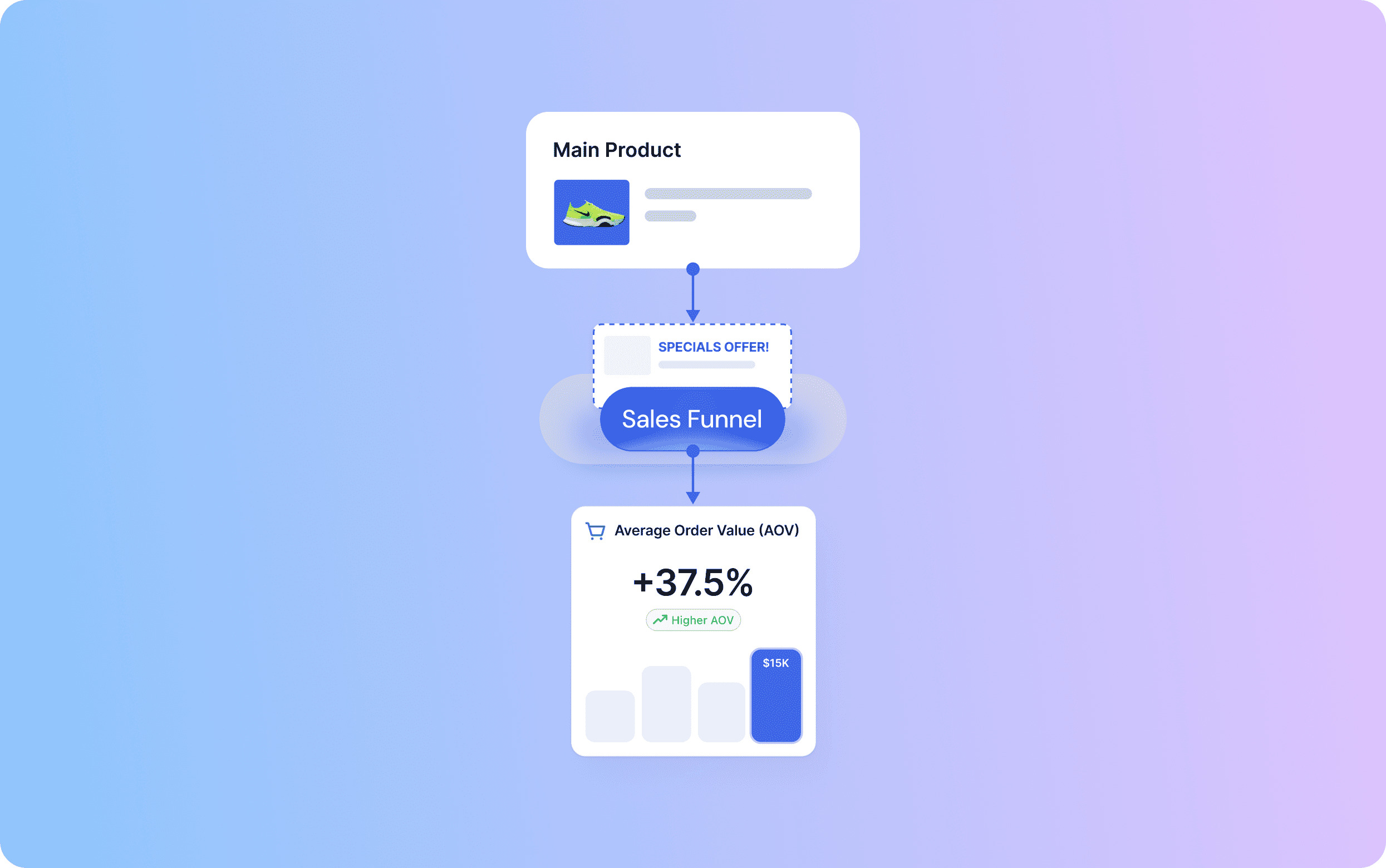
For ecommerce or dropshipping businesses building on Shopify, Zapier fills the integration gaps that the Shopify App Store doesn't cover — connecting Shopify to niche tools, legacy systems, or internal workflows that don't have native Shopify integrations. For businesses running sales funnels, Zapier connects the funnel platform like Funnelish to downstream tools: CRM entries, email tags, team notifications, and analytics tracking, all triggered by funnel events.
Funnelish supports Zapier integration directly — meaning any event in your funnel can trigger a downstream action in whatever tool your operation runs on, without custom development.
Building Your First Zap: Step-by-Step Guide
You don't need to start with a complex workflow. The best first Zap is the most painful manual task you do regularly.
Step 1: Log into your Zapier account (or create one — the free plan is sufficient to start). Click Create Zap.
Step 2: Choose your trigger app. Search for the tool where the event originates — Shopify, Typeform, Facebook Lead Ads, Gmail, whatever is relevant. Select the specific trigger event within that app (new order, new form response, new lead, new email).
Step 3: Authenticate the connection. Zapier will ask you to connect your account in the trigger app. This is a one-time step per tool.
Step 4: Configure the trigger. Select which specific data you want to use — which form, which Shopify store, which Facebook page.
Step 5: Choose your action app. Select the tool where you want something to happen as a result. Configure what the action should do and map the data fields from the trigger to the right fields in the action.
Step 6: Test the Zap. Zapier will run the workflow with real data to confirm everything is working correctly.
Step 7: Turn it on. From this point, the Zap runs automatically every time the trigger event fires.
The first time through this process takes 20–30 minutes. By your fifth Zap, it takes five. Most ecommerce store owners who start with one Zap end up running 10–20 within a few months as they identify additional manual processes worth automating.
The Practical Limit: What Automation Can't Replace
Zapier makes operational work more efficient. It doesn't make strategic decisions. The time it saves on moving data between apps is only valuable if you're reinvesting that time in work that grows the business — better creative, sharper targeting, stronger product positioning, smarter customer acquisition.
The ecommerce businesses that extract the most value from automation tools like Zapier are the ones who use the saved time deliberately. The ones who automate everything and then keep finding more things to automate are optimizing a process, not growing a business. Think of Zapier as clearing the ground for the work that moves the needle — not as a substitute for doing that work.
For a brand managing acquisition, retention, and fulfillment simultaneously, that distinction matters. Automation handles the plumbing. Strategy still requires human judgment.
Zapier FAQs
What exactly does Zapier do?
Zapier connects two or more apps and automates actions between them based on triggers you define. When something happens in one app — a new purchase, a form submission, a new lead — Zapier automatically does something in another app: adds a row to a spreadsheet, sends an email, creates a CRM entry, notifies your team. It eliminates repetitive manual data transfer and keeps your tools in sync without any human intervention.
Is Zapier really free?
Yes — there's a free plan that supports up to 100 tasks per month and five active Zaps. It's enough to test the platform and run a couple of simple automations. For most growing ecommerce businesses, the free plan gets outgrown quickly, since each action in a multi-step Zap counts as a separate task. Paid plans start around $19.99/month and scale based on task volume.
How do you use Zapier with ChatGPT?
Zapier has a native integration with OpenAI that lets you incorporate ChatGPT into automated workflows. Practical use cases:
Automatically generating product descriptions when a new product is added to your store
Summarizing customer support tickets before routing them to a team member
Drafting social media posts from blog content
Generating personalized email copy triggered by customer behavior
You configure it through the Zapier dashboard like any other integration — no coding required.
Is Zapier an AI tool?
No — Zapier is a rules-based automation tool. It executes the instructions you set up; it doesn't make decisions or learn from outcomes. Where AI enters the picture is in Zapier's integrations: you can use Zapier to connect AI tools like ChatGPT into your workflows, making AI-assisted actions part of an automated sequence. But Zapier itself is logic-based, not AI-driven.
Read more: Klaviyo AI Features: What's New, What Works, and Will They Generate Profit?
Is Zapier hard to learn?
Not for most users. The interface is designed for non-developers, and the trigger-action model is intuitive once you grasp it. Most people set up their first working Zap within an hour. The complexity scales with what you're trying to automate — simple two-step Zaps are straightforward; complex multi-step workflows with conditional logic and filters take more time to configure correctly. Zapier's template library is a useful starting point, offering pre-built workflows for common tasks that you can customize rather than build from scratch.
What are the 5 things to automate in Zapier for eCommerce?
The highest-impact automations for most ecommerce businesses:
New order notifications to Slack or email with customer and order details — keeps your team informed without anyone monitoring dashboards.
Adding new customers to email marketing segments in Klaviyo or your platform of choice based on purchase behavior.
Syncing new leads from ad platforms (Facebook, TikTok) to your CRM system automatically
Inventory alerts when stock levels drop below a threshold you set.
Post-purchase follow-up task creation in your project management tool for orders that require manual handling — high-value orders, custom items, or flagged purchases.
These five eliminate a significant chunk of the manual operational work that slows ecommerce teams down.
Table of contents
Boost your eCommerce
sales today

24/7 support
No credit card required
Cancel anytime
24/7 support
No credit card required
Cancel anytime
