

ROAS Killer: Mastering WooCommerce Checkout Optimization in 2026
29 April 2026
Anna P.
7 minutes
You spend thousands on paid ads. You rigorously test your creatives. You optimize your targeting to perfection. And then, after doing all the hard work, you send that expensive traffic to a checkout experience that was designed to be merely "acceptable" to everyone.
Which means it is highly optimized for no one.
The reality of ecommerce in 2026 is brutal: the average cart abandonment rate hovers around 70%. (Baymard Institute) That means seven out of ten customers who add a product to their WooCommerce cart will never complete the purchase.
If your WooCommerce store is doing $50,000 a month, you are likely leaving over $100,000 in potential sales evaporating right before the order confirmation screen.
The uncomfortable truth? Most of that loss is not a traffic problem. It is a checkout problem. The default WooCommerce checkout was built for traditional browsing, not to maximize conversions for stores running paid traffic at scale.
Let's break down how to fix your checkout flow, what you can natively tweak on your Wordpress site, and how top brands use dedicated sales funnels to completely bypass the default bottlenecks and maximize their average order value.
Why Default WooCommerce Checkout Page Leaks Money
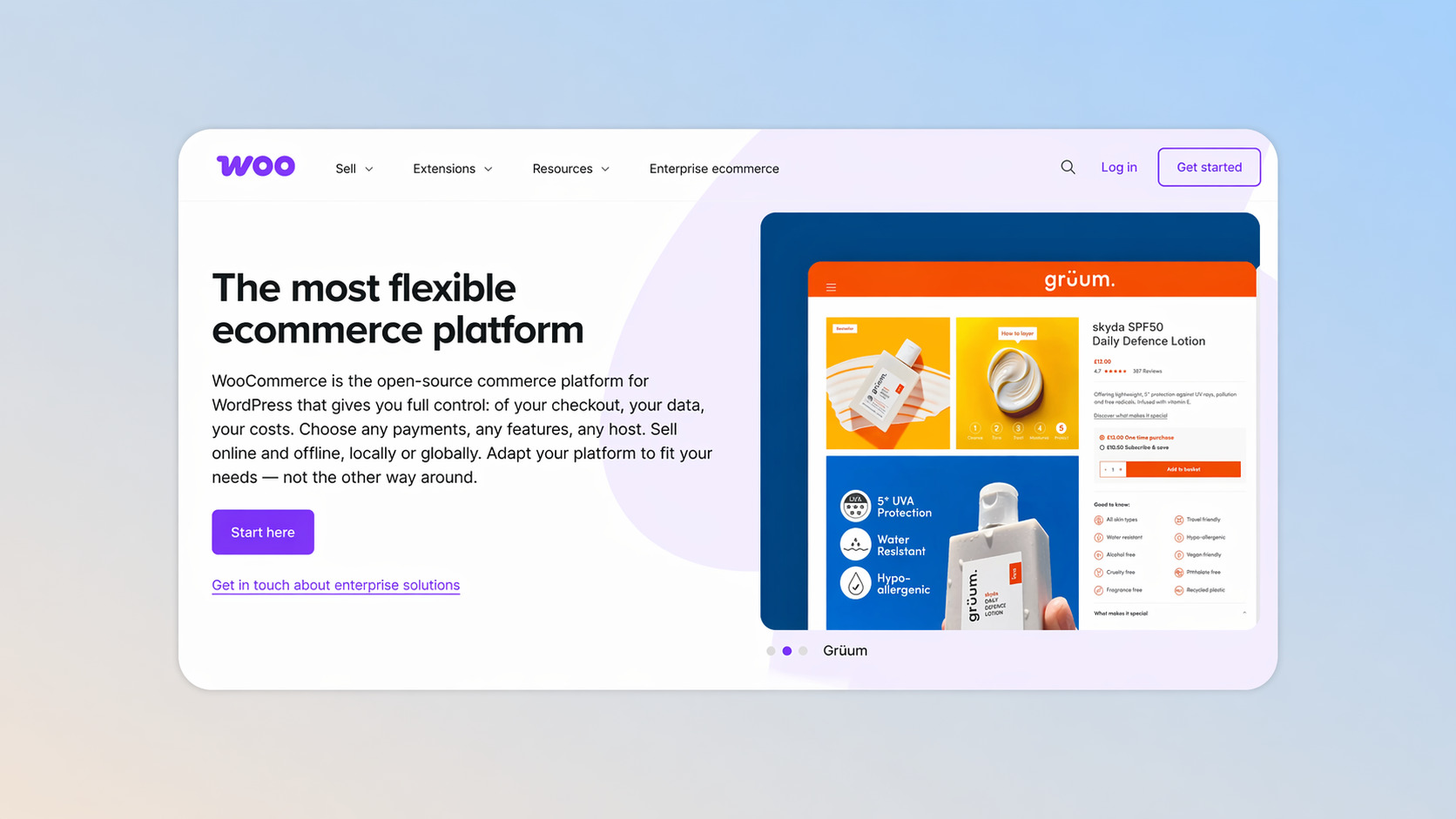
Before we fix the checkout process, we have to understand the mechanics of why your WooCommerce site is bleeding sales.
When you run paid ads, every click has a cost. If you are paying $2 per click and your checkout page converts at 2%, you are spending $100 to acquire a single customer. If you can improve that optimized checkout conversion rate to just 3% — without touching your ad account — your acquisition cost drops drastically.
The default WooCommerce checkout page introduces friction in a few key areas:
Information overload: The standard checkout form asks for too much. Do you really need a company name or a second address line to ship a t-shirt? Every extra text box is an opportunity for the user to bounce.
Surprise costs: 48% of shoppers abandon carts when shipping or taxes increase the cart subtotal at the last second. (Swell)
Mobile friction: The smaller the screen, the harder it is to type. If your WooCommerce checkout fields are clunky on a smartphone, you lose your mobile traffic.
What You Can Fix Natively (Free Route)
Not every solution requires blowing up your current architecture. There are several high-impact WooCommerce checkout page customization tactics you can implement inside your store today.
Upgrade to Cart and Checkout Blocks
If your site is still using the legacy checkout shortcode, you are behind. WooCommerce recently introduced cart and checkout blocks built on Gutenberg. These blocks provide a more user friendly interface. The checkout block visually separates shipping, billing, and payments much better than the old checkout page template.
Ruthlessly Remove Fields
Every unnecessary field is a micro-friction that compounds. You must minimize your core fields. You do not need to ask for company swag preferences or fax numbers.
To remove fields or change placeholder text, you can use other plugins (like Checkout Field Editor) or manually customize your site by adding a code snippet to your child theme’s functions.php file.
Be careful: when editing fields or trying to add custom fields, using the following code snippet from a random forum can be time consuming and break your site if not done correctly. Always back up before you save.
Activate Express Payment Options
Typing credit card numbers is a conversion killer. Enable express payment options like Apple Pay and Google Pay. This allows customers to bypass the tedious checkout form with a single biometric tap. Ensure you offer multiple payment methods so customers choose what they trust most.
Offer Clear Product Add-Ons
You can slightly boost your average order by offering simple upgrades natively. You can add radio buttons or checkboxes for gift wrapping, shipping insurance, or gift messages. If you sell variable products that require custom inputs (like file uploads or a delivery date picker), you will need WooCommerce extensions that support conditional logic to display these checkout options cleanly.
Your Ceiling: What Native Checkout Cannot Do
If you implement the native tweaks above, you will absolutely improve your customer satisfaction and conversion rate. But there is a hard ceiling to the native custom WooCommerce checkout. The native cart and checkout pages are designed as a closing mechanism. It is the end of the journey. Once the payment clears and the order details are generated, the transaction is over.
But in 2026, the stores with the best ROAS treat the checkout not as the end, but as a revenue amplification moment.
If your customer buys a $50 product, the default WooCommerce system says Thank you and sends them a receipt. It has zero mechanism for post-purchase revenue capture. Every paying customer exits at the exact same value they entered with.
This is why the highest-performing brands do not rely on the native cart and checkout for their paid traffic.
Funnelish: Bypassing Native Limits
When you are paying for traffic, you need a checkout infrastructure built strictly for performance. This is where you bypass the native page and use Funnelish.
Funnelish works alongside your store, acting as the ultimate custom WooCommerce checkout page replacement for your paid ad campaigns.
A One Page Checkout Built for Cold Traffic
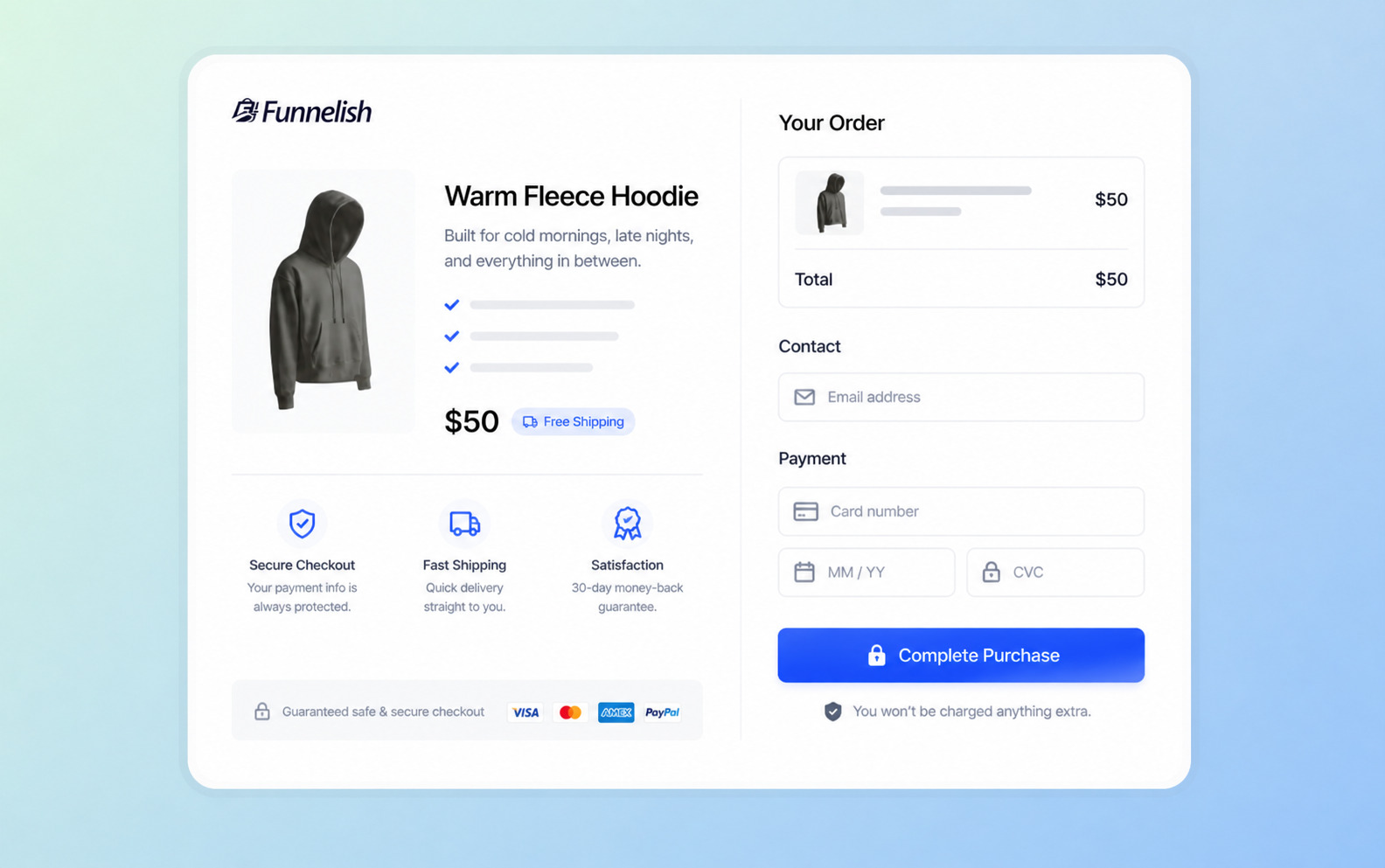
When someone clicks your ad, Funnelish sends them to a dedicated one page checkout. There are no distracting menus, no multiple products to accidentally click on, and no bloated WordPress code. The page loads in milliseconds.
The entire flow is frictionless. It consolidates the checkout flow onto a single screen, offering clear pricing, trust badges, and an incredibly streamlined checkout experience.
Post-Purchase One-Click Upsells
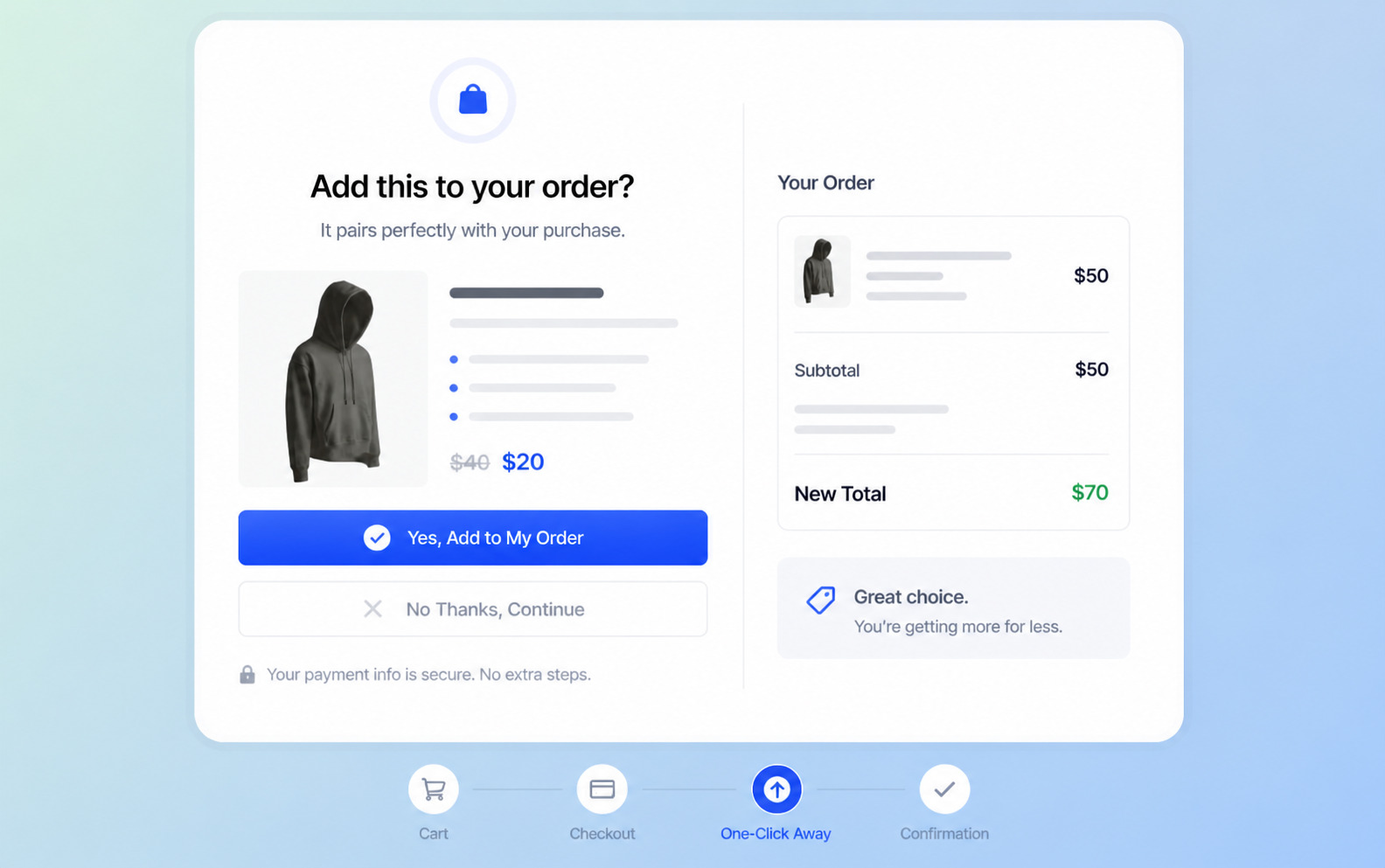
This is where you finally save your ROAS.
Immediately after a customer clicks Complete Purchase on your Funnelish funnel template, but before the final order confirmation screen, they are presented with a post-purchase offer.
Because their customer data and payment info are already securely tokenized, they do not need to re-enter their credit card. They can add a complementary product or WooCommerce subscriptions to their order with one single click.
If you offer a $20 upsell to a buyer who just spent $50, and 30% of them say yes, you have massively increased your average order value without spending a single extra penny on ads. You cannot do this easily with default add ons or native plugins.
Read more: Ecommerce Subscription Model Is the Last Unfair Advantage
Geo-Funnels: The Right Checkout for Every Market
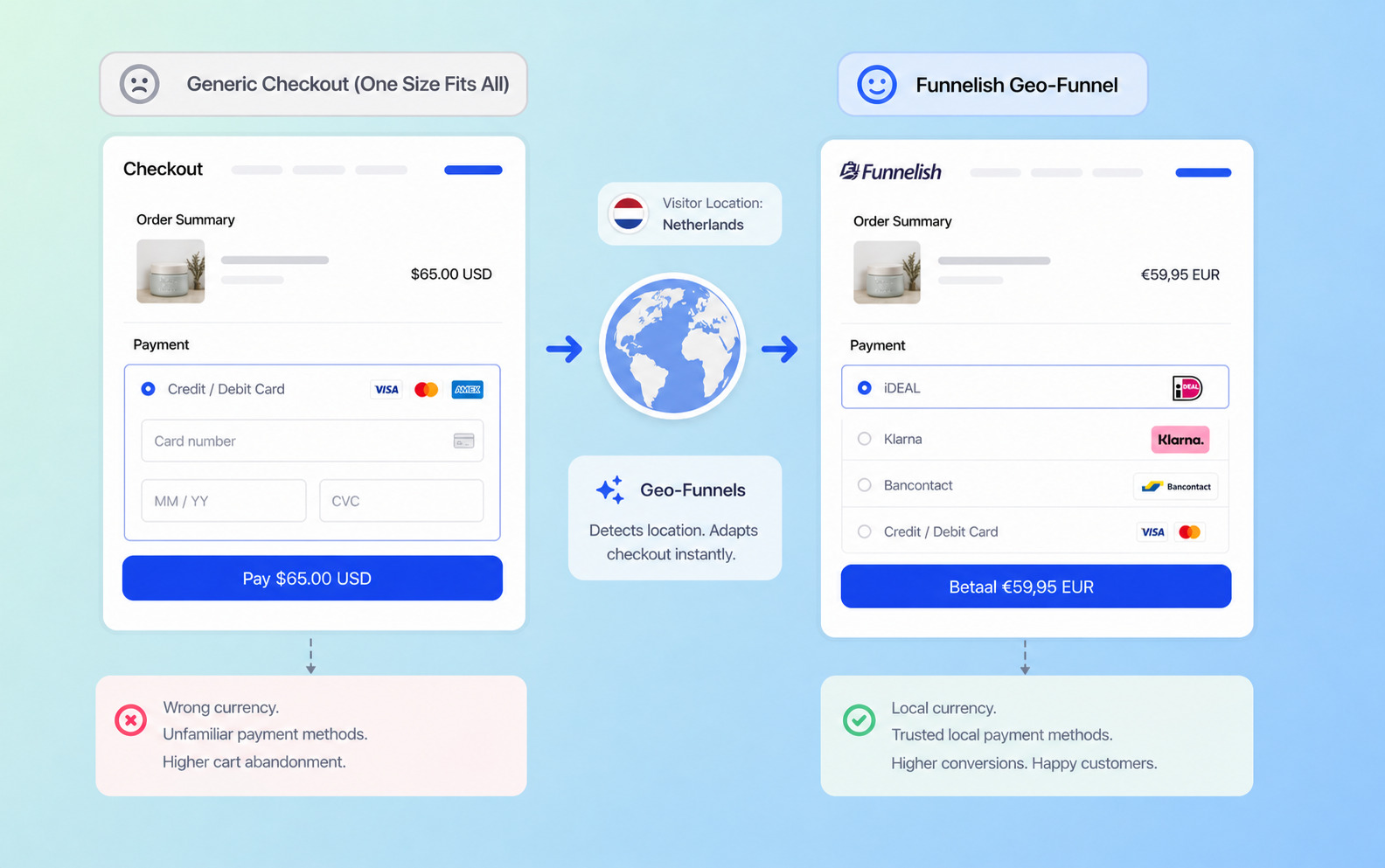
Showing US dollars and generic credit card forms to a customer in the Netherlands is a fantastic way to kill a sale.
Funnelish utilizes geo funnels to detect a visitor's location dynamically. It automatically displays the correct local currency and trusted local payment methods (like iDEAL in the Netherlands or Klarna in Germany). This level of localization creates a hyper-optimized checkout based on geography, reducing international cart abandonment.
Seamless WooCommerce Sync
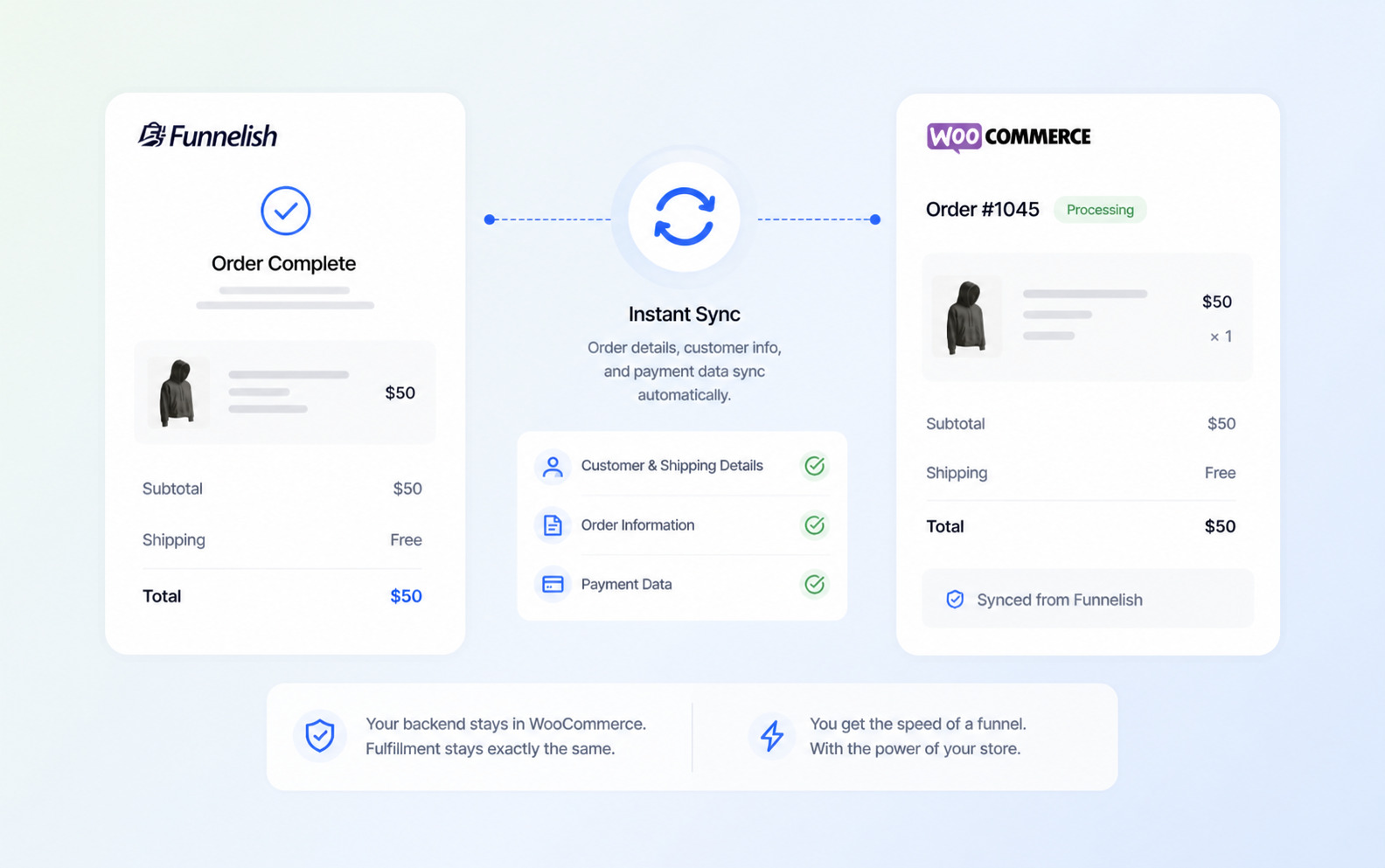
You do not have to abandon your backend. Funnelish is not a replacement for your inventory management; it is a replacement for your front-end checkout.
When a transaction occurs in your Funnelish funnel, it instantly syncs all shipping addresses, order details, and payment data right back to your WooCommerce store. Your fulfillment team fulfills the order as they always have. You get the blazing speed of a funnel with the organizational backend of your main site.
2026 Framework: Match Your Traffic to Your Checkout
The practical approach to WooCommerce checkout optimization is not choosing one or the other. It is routing your traffic intelligently.
For Organic Traffic
If a customer finds you via SEO or social media and wants to browse your catalog, the native WooCommerce checkout fields and standard cart and checkout pages work perfectly. Just make sure you clean up the fields and use the modern Gutenberg blocks.
Read more: SEO for WooCommerce: 30 Moves to Get Found, Get Clicked, and Get Sales
For Paid Traffic
If you are paying per click on Meta, Google, or TikTok, that traffic has a high intent. They have zero patience for a multi-step checkout process. They deserve a dedicated Funnelish landing page, a friction-free one page checkout, and a post-purchase upsell sequence to extract maximum revenue per visitor.
Stop sending expensive traffic to a cheap checkout. Fix your frontend, add one-click upsells, and watch your ad campaigns turn profitable without changing a single creative!
Frequently Asked Questions
How to customize WooCommerce checkout?
You can use field-editor plugins or code snippets to edit native text inputs, or you can completely replace the rigid native flow by using Funnelish to build a highly optimized, drag-and-drop custom checkout page.
How to get WooCommerce checkout page?
WooCommerce automatically generates a default page using a shortcode or block upon installation (found under Pages in WordPress). To bypass this basic page for paid traffic, you can connect a dedicated Funnelish checkout funnel directly to your store.
How do I checkout without cart in WooCommerce?
You can change your native settings to redirect users after adding an item, use a direct-to-checkout link plugin, or use a dedicated funnel builder like Funnelish to send ad traffic straight to a one-page checkout, bypassing the cart entirely.
What contains the WooCommerce checkout block?
The native checkout block contains React-based, visually editable fields for shipping, billing, and basic payment gateways. If you need advanced conversion elements like order bumps or dynamic geo-pricing, you will need to upgrade to Funnelish.
How to improve WooCommerce checkout?
To quickly improve conversions, remove all non-essential form fields, enable express digital wallets (like Apple Pay), and use Funnelish to add post-purchase one-click upsells that maximize your average order value.
Table of contents
Boost your eCommerce
sales today

24/7 support
No credit card required
Cancel anytime
24/7 support
No credit card required
Cancel anytime
