

Kit Email Marketing Review: Is the Creator Platform Worth the Hype for Ecommerce?
25 April 2026
Anna P.
16 minutes
Choosing an email marketing tool in 2026 feels like staring at a massive wall of identical software. Every platform promises to double your revenue, streamline your marketing efforts, and magically fix your business. But if you are building a modern creator or digital commerce business, the standard corporate tools often feel clunky and disconnected from what you really need.
You don't need a bloated enterprise CRM.
You need a marketing platform that helps you capture audience attention, sell digital products, and run your automated email sequences without requiring a computer science degree.
Ever heard of Kit? Formerly known as ConvertKit, this platform has dominated the creator economy conversation lately. It has also released commerce features that attract global online retailers. But is it the best email marketing software for your needs, or is it just clever marketing?
Let’s break down the data, the features, and the real 2026 pricing to see if Kit email marketing is worth the investment for ecommerce businesses.
2026 Evolution: From ConvertKit to Kit
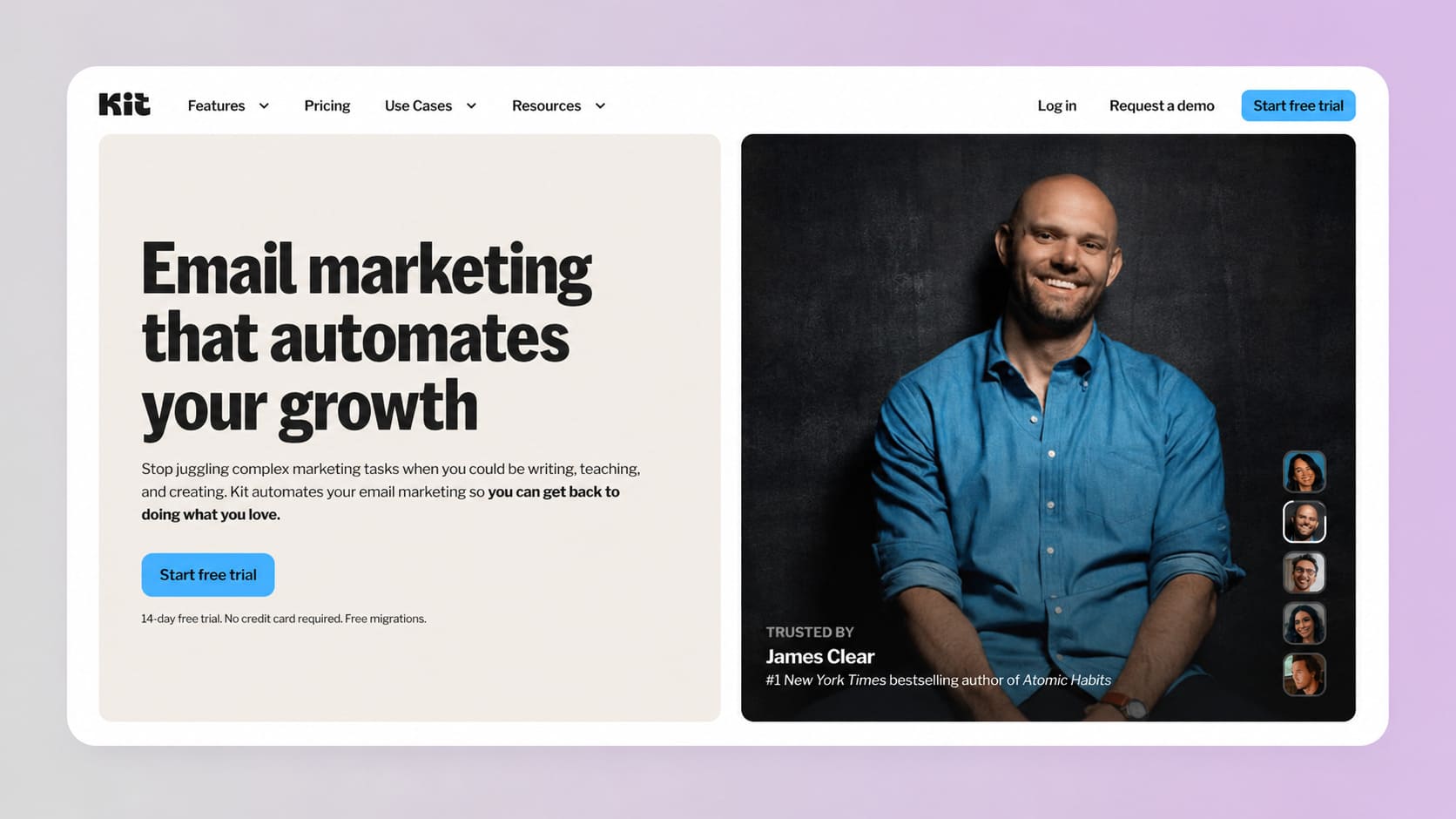
If you have been in the digital marketing space for a while, you already know the name ConvertKit. Founded in 2013, it was built to help bloggers convert website visitors into subscribers.
But the creator economy has evolved massively since then.
According to Kit's official rebranding announcement, the company officially dropped the "Convert" from its name to reflect its massive expansion into a full-scale operating system for creators. They aren't just a basic email tool anymore. They are a $43 million annual recurring revenue powerhouse that recently acquired the premium Kit.com domain.
The rebrand signals a massive shift. They want to be the central hub where you build your landing pages, run your newsletter referral system, host your community, and process your payments.
Does the software deliver on that promise?
Core Philosophy: Why Kit Feels Different
Before we get into the technical weeds, you have to understand how Kit structures its data. Most traditional email providers (like Mailchimp) use a list-centric model. If a single user signs up for your weekly newsletter, and then later signs up for a free webinar on a different list, you are charged twice for that same person.
Kit completely rejects that model. It uses a subscriber-centric model.
Every person is added to your main database just once. From there, you organize them using one or more tags based on their behavior. If someone buys an ebook, they get a Buyer tag. If someone clicks a link about SEO, they get an Interested in SEO tag.
This makes targeted messages incredibly easy to build, and more importantly, you never pay for duplicate contacts.
Read more: Best Mailchimp Alternatives for 2026
Generous Free Plan: A Massive Competitive Advantage
Let's talk about the biggest draw for new users in 2026. If you are just starting your newsletter or creator business, budget is likely your biggest concern.
According to recent 2026 pricing breakdowns, Kit currently offers one of the most generous entry-level tiers in the entire industry. The Kit free plan allows you to host up to 10,000 subscribers without paying a single dime.
Yes, 10,000.
For comparison, Mailchimp's free tier heavily restricts your sending, and MailerLite caps their free plan at just 500 subscribers.
What do you get on the free Newsletter plan?
1 basic Visual Automation
Unlimited landing pages & forms
Unlimited email broadcasts
Audience tagging & segmentation
Sell digital products & subscriptions
What is the catch?
You don't get access to advanced automated email sequences, more visual automation workflows, or A/B testing on the free tier. Your emails will also carry the Kit branding.
But if your main goal is simply gathering new subscribers and sending weekly updates, it is an unbeatable starting point.
Deep Dive: Landing Pages and Forms
An email marketing strategy is completely useless if you can't capture leads. You need high-converting signup forms. Fortunately, Kit's form builder is incredibly robust and designed for high conversions.
Building perfect Kit Forms
You don't need a separate website builder to start collecting emails. Kit provides unlimited forms that you can embed into your site. You can choose from inline forms, modal pop-ups, slide-ins, or sticky bars.
The drag-and-drop simplicity of the form editor allows you to customize colors, add custom fields (like first name or industry), and upload your own imagery.
If you use WordPress, the Kit WordPress plugin allows you to automatically append signup forms to specific posts or pages with a single click.
Unlimited landing pages
What if you don't have a website yet? Kit solves this by giving you access to unlimited landing pages hosted on their servers. They offer over 50 beautiful, creator-focused landing page templates.
You can launch a dedicated page for a new podcast, an upcoming webinar, or a free ebook download in under ten minutes. You can even connect a custom domain to your Kit account, ensuring your landing pages match your brand identity instead of relying on a generic external page URL.
Intuitive Email Editor: Content Over Clutter
If you are looking for an email marketing solution that helps you build highly complex, image-heavy, multi-column e-commerce catalogs... Kit is not for you. Kit fundamentally believes that simple, text-based emails perform better.
And the data backs this up.
Deliverability experts consistently note that emails looking like personal letters from a friend bypass the promotions tab and land straight in the primary inbox. The intuitive email editor is intentionally stripped down. It is a WYSIWYG (What You See Is What You Get) text-based editor.
While you can absolutely add images, buttons, and custom HTML, the focus is on the writing experience.
Crafting high-converting email campaigns
When you sit down to write your email broadcasts, Kit gives you the tools you need to maximize engagement.
Personalization
You can dynamically insert subscriber data into your subject lines or body copy using simple liquid tags.
A/B testing (on paid plans)
Kit allows you to easily split-test two different subject lines. The system sends version A to 15% of your list, version B to another 15%, and then automatically sends the winning version to the remaining 70% based on open rates.
Clean templates
You aren't restricted to the default look. You can build your own templates using HTML or customize their starting templates to match your exact hex codes and brand fonts.
Kit's Automation Tools: Real Powerhouse
This is where Kit separates itself from a basic email marketing service. If you want to make money while you sleep, you need reliable marketing automation. Kit's automation tools are widely considered some of the best in the industry for creators, striking the perfect balance between power and usability.
Visual automation builder
Building complex automation workflows in some platforms feels like writing code in a spreadsheet. Kit's visual automation builder is completely different. It maps out the customer journey on a visual canvas. You can see how a user moves from an initial signup form, through an educational sequence, and eventually to a sales pitch.
You can trigger advanced workflows based on specific actions:
When a user joins a specific form
When a user clicks a link in an email
When a specific tag is added or removed
When a user purchases a digital product
Automated email sequences
Once a user enters your visual automation, you can send them through customized email sequences. A sequence is simply a series of pre-written emails sent on a specific schedule. For course creators, this is invaluable. You can build a 5-day educational email course that automatically delivers one lesson per day, perfectly spacing out the content.
Because of the subscriber-centric tagging system, you can pull users out of a sequence automatically. If a user buys your course on day three, Kit removes them from the promotional sequence so you don't annoy them with sales pitches for something they already own.
Monetization: How to Sell Digital Products
One of the most defining Kit's features in 2026 is its heavy focus on direct monetization. They don't just want to be an email platform; they want to process your payments. If you are a coach, author, or digital artist, setting up a complex Shopify store just to sell a PDF guide is total overkill.
Kit has built-in ecommerce features that allow you to sell digital products from your emails and landing pages.
What can you sell?
Ebooks and digital downloads.
Paid premium newsletter subscriptions.
Coaching sessions and consulting packages.
Exclusive community access.
The setup wizard is incredibly simple. You upload your file, set a price, and Kit generates a secure checkout link. They integrate with Stripe for payment processing.
When a user buys, Kit automatically handles the file delivery and tags the user as a customer in your database, kicking off any post-purchase automation features you have built.
Growth Tools: Creator Network
Growing an audience from scratch is the hardest part of any creator business. Paid ads are expensive, and SEO takes months to gain traction. To solve this, Kit launched the Creator Network, a powerful newsletter referral system built into the platform.
Here is how it works: You partner with other creators in your niche. When a user subscribes to your newsletter via your signup forms, a modal pops up highly recommending that they also subscribe to your partner's newsletters.
In return, those partners recommend you to their audiences. It is a brilliant, free way to acquire highly targeted new subscribers.
Kit Pricing in 2026: Is It Worth the Investment?
Let's talk numbers. While the free tier is amazing, eventually, your marketing efforts will require the more advanced features hidden behind the paywall.
How much does Kit cost as your business scales?
Creator plan
This is the sweet spot for the vast majority of users. It unlocks the visual automation builder, unlimited sequences, and third-party integrations.
Pricing breakdown (billed annually)
1,000 Subscribers: $33 / month
3,000 Subscribers: $50 / month
5,000 Subscribers: $75 / month
10,000 Subscribers: $116 / month
You also get access to one additional team member, making it perfect if you are hiring a virtual assistant to help manage your campaigns.
Pro plan
If you are running a highly sophisticated marketing platform and need granular data, the Pro plan is the top tier. It includes everything in the Creator plan, plus unlimited team members, advanced reporting, and priority support.
Key Pro features
Unlimited users
Insights dashboard
Deliverability reporting
Subscriber engagement scoring
Collaborative editing
A/B test subject lines & content
Facebook custom audiences
Newsletter referral system
Edit links in sent broadcasts
24/7 priority email & chat support
Pricing breakdown (billed annually)
1,000 Subscribers: $66 / month
3,000 Subscribers: $83 / month
5,000 Subscribers: $116 / month
10,000 Subscribers: $158 / month
Is it cheap? No.
When comparing Kit pricing to a budget option like MailerLite, Kit is noticeably more expensive at higher subscriber counts. However, users consistently note that the seamless integration of digital product sales and the visual automation builder justifies the premium price tag.
Integrations: Connecting Your Tech Stack
No software operates in a vacuum. If you want to succeed, your email marketing software must play nicely with your other third party tools. Because Kit (formerly ConvertKit) has been around for over a decade, their ecosystem of third-party apps is massive.
Key integrations include:
E-commerce: Shopify, WooCommerce, Teachable, Thinkific.
Lead generation: OptinMonster, Leadpages, Typeform.
Webinar platforms: Demio, WebinarJam, Crowdcast.
Analytics: Seamless integration with Google Analytics to track form submissions and conversion rates.
If a native integration doesn't exist, Kit offers a highly flexible API and connects effortlessly with Zapier or Make, allowing you to build virtually any workflow you can imagine.
Kit Pros and Cons
To give you a completely objective Kit review, let's summarize the absolute best and worst parts of the platform in 2026.
Kit pros
10k free plan: An unmatched starting point for beginners to gather up to 10,000 subscribers for free.
Tag-based system: The subscriber-centric model keeps your list incredibly clean and prevents duplicate billing.
Visual automations: The drag-and-drop workflow builder is powerful, intuitive, and easy to master.
Built-in commerce: Selling digital products through your emails removes friction and boosts conversions.
Creator network: A massive advantage for organic, automated list growth.
Kit cons
Not built for heavy ecommerce: If you are selling physical products, managing high SKU counts, or running high-volume sales funnels, Kit's built-in commerce features will severely bottleneck your growth. For heavy e-commerce, you are much better off using a dedicated funnel builder like Funnelish.
Price at scale: Once you move past the free tier, the paid plans get expensive quickly as your list crosses the 25,000+ subscriber mark.
Basic email design: If your brand relies heavily on highly visual, magazine-style layouts, the stripped-down email editor will feel restrictive.
Limited native analytics on standard plans: To get truly deep engagement tracking and subscriber scoring, you are forced to upgrade to the pricey Pro tier.
Why Kit Might Not Be the Top-Tier Tool for Ecommerce
Let's be completely transparent here. Kit is an absolutely brilliant platform for its target audience. But its target audience is the creator economy. If you are running a fast-scaling direct-to-consumer brand or a high-volume dropshipping business, trying to force Kit to run your storefront will leave you incredibly frustrated.
Here is the objective reality of Kit's limitations for physical product sellers. Kit's commerce engine was built to sell a single ebook, a coaching call, or a premium newsletter subscription. It lacks the advanced checkout infrastructure required to scale physical products globally.
You cannot easily build complex, multi-step sales funnels with order bumps and one-click post-purchase upsells — the exact features that drive ecommerce profitability in 2026.
It doesn't have advanced inventory syncing for thousands of SKUs. And most importantly, it struggles with deep international localization.
Why Funnelish for Ecommerce Brands
Funnelish completely outshines a creator-focused tool. It is engineered from the ground up to convert physical e-commerce traffic into massive revenue. Instead of just sending text-based emails, it is your high-performance storefront, landing page builder, and checkout engine combined.
And if you want to scale internationally in 2026, Funnelish offers an absolute secret weapon: geo-funnels. When you sell globally, you need to sell locally. Funnelish allows you to do this smarter with location-based funnels that change website content based on the user's location with zero coding required.
Geo-funnels dominate traditional checkouts
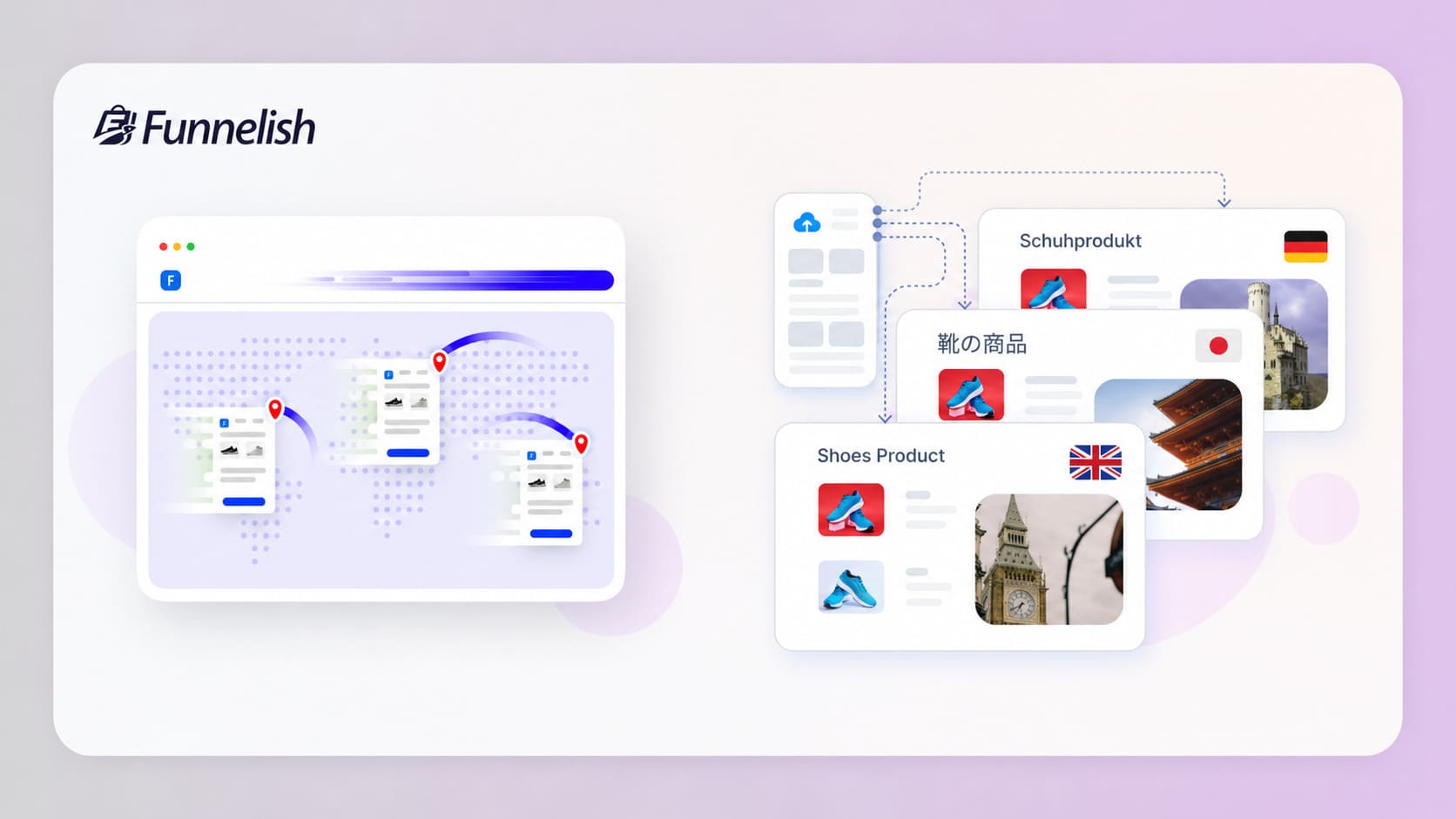
Dynamic multi-currency checkout: Display prices based on a visitor's location, keeping them in their native currency from the sales page all the way to the final checkout.
Localized payment methods: Trust is everything in ecommerce. With geo-funnels, you can display the specific payment methods that local customers use and trust (like iDEAL, SEPA, or Klarna).
Targeted content and offers: Promote different products, localized discounts, or culturally specific images based on geographic regions.
Blazing-fast performance: All of these location-based personalization rules are applied instantly, anywhere in the world.
If your primary goal is maximizing your average order value and building a global ecommerce empire, you need tools built for that job.
Kit is a masterpiece for creators.
But for scaling ecommerce sales? Funnelish is the clear winner.
Why Funnelish is still a better choice for single-product sellers (yes, even digital ones)
You might be thinking, "I don't need a massive physical storefront. I just want to sell one flagship digital product, like a premium ebook or a masterclass." Even in this scenario, assuming Kit is your best option just because the product is digital can leave a lot of money on the table.
Kit’s native commerce tools are fantastic if you are selling a simple $15 PDF guide to an audience that already knows and trusts you. But if you are driving cold traffic from social media or paid ads to a single digital product, you need deep conversion psychology, blazing-fast load times, and a highly optimized checkout flow to turn a profit.
When you compare the two platforms for selling a single product — physical or digital — Funnelish offers revenue-maximizing tools that Kit simply does not have natively on top of email automation functionality:
Maximizing AOV with customizable checkouts
This is the absolute dealbreaker. Kit locks you into a very basic payment modal. Funnelish provides a fully customizable checkout experience where you can add flexible order bumps (e.g., "Add the audiobook version for $9!") and one-click post-purchase upsells (e.g., "Upgrade to a 1-on-1 coaching call"). This allows you to increase the average order value of a single digital product.
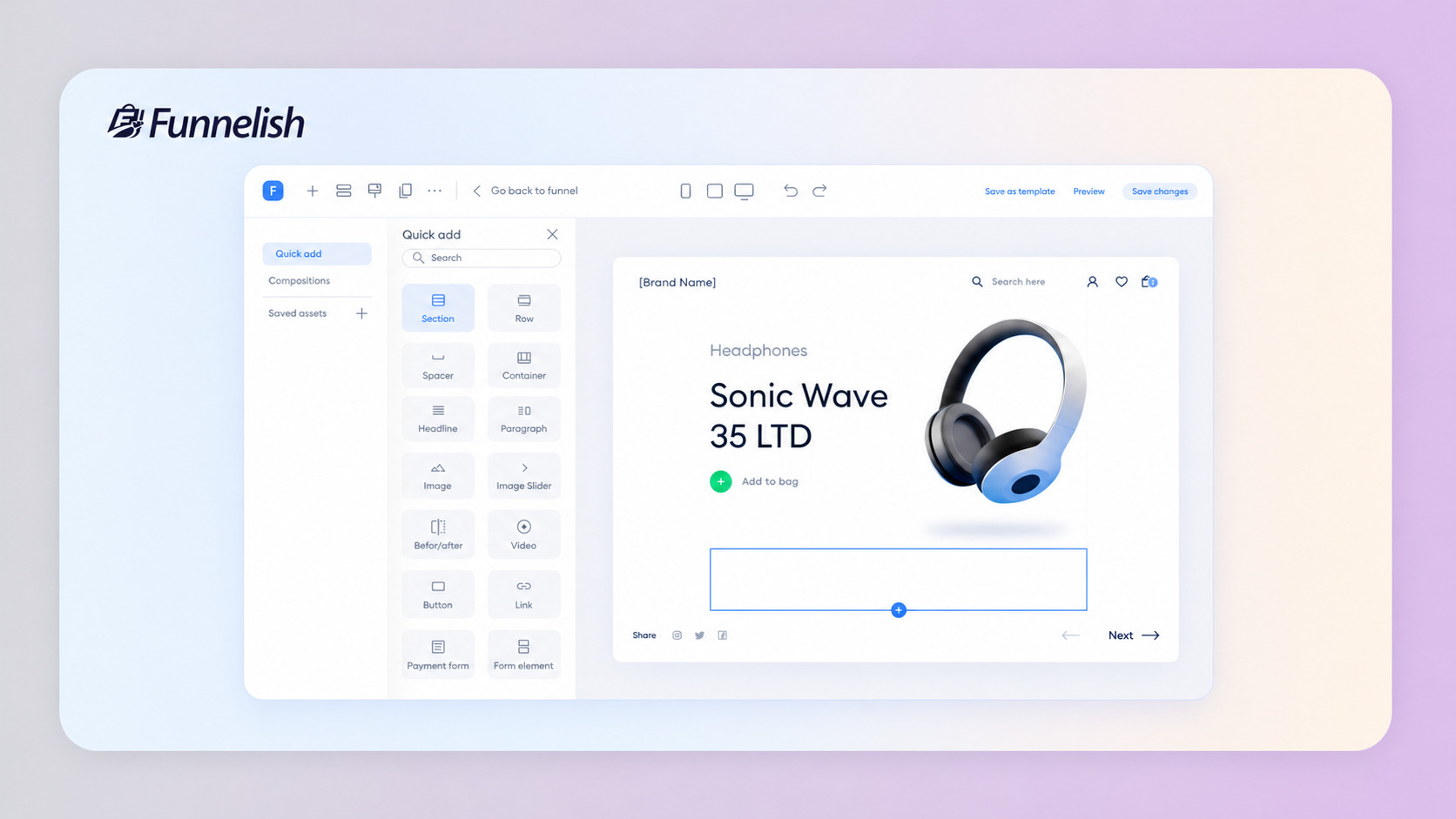
True conversion-focused page builder
Kit's landing pages are beautifully designed for capturing email addresses, but they lack heavy-hitting sales architecture. Funnelish offers a true drag-and-drop, no-code page builder loaded with ready-to-use, conversion-rate-optimized templates built explicitly to generate sales, not just signups.
Deep A/B and geo-split testing
While Kit allows you to A/B test your email subject lines, Funnelish allows you to A/B test your actual sales pages to compare conversion rates of different design ideas. You can even run geo-split testing to see which page designs and digital offers perform best based on where your customers are located.
Mobile-responsive speed
With the vast majority of consumers shopping on mobile in 2026, load speed is everything. Over 50% of visitors bounce if a site takes more than 3 seconds to load. Funnelish pages are fully optimized for lightning-fast mobile performance to ensure you never lose a mobile buyer to a sluggish page.
Shared components for faster workflows
If you are managing multiple pages in a sales funnel, Funnelish uses Shared Components. You can make a change in one component (like your pricing block, guarantee, or footer) and it automatically updates across all your account pages, ensuring consistency and saving you hours of manual editing.
If your primary goal is to capture an audience and monetize them slowly via a free newsletter, Kit is a masterpiece.
But if you are actively trying to scale a single product — whether it's a physical gadget or a digital course — you need a platform engineered to maximize your cart value. Funnelish is the undisputed winner for that job.
Final Verdict: Should You Switch to Kit?
Let's wrap up this deep dive.
Is Kit the best email marketing service in the world? That depends on your business model.
If you are running a traditional e-commerce store with thousands of physical SKUs and complex inventory tracking, Kit is likely not your best option. You would be better served by a platform built for heavy e-commerce, like Funnelish.
But if you are an author, coach, podcaster, or digital creator?
Kit is an absolute powerhouse. It removes the technical headaches of marketing automation and allows you to focus on creating great content and connecting with your audience.
The landing pages and forms are clean, the tagging system is brilliant, and the ability to sell digital products without a secondary website is a massive time-saver.
If you fit the creator profile, Kit is undeniably worth the buzz.
Frequently Asked Questions
What is Kit email marketing?
Kit (formerly known as ConvertKit) is an email marketing platform designed for the creator economy. It provides tools to capture leads, send targeted automated emails, build landing pages, and sell digital products directly to your audience.
Is Kit email free?
Yes, Kit offers an incredibly generous free tier called the Newsletter plan. You can host up to 10,000 subscribers, build unlimited landing pages, and send unlimited email broadcasts for zero dollars.
How much does Kit mail cost?
Once you need automated sequences or visual workflows, you must upgrade. The Creator plan starts at $33/month (billed annually) for up to 1,000 subscribers. The Pro plan, which includes advanced reporting and subscriber scoring, starts at $66/month (billed annually).
Is Kit the same as ConvertKit?
Yes. In 2024, ConvertKit underwent a massive public rebranding process, officially changing its name to Kit and moving its operations to the premium Kit.com domain to reflect its broader focus on overall creator business growth.
Which is better, MailerLite or Kit?
It depends on your budget and goals. MailerLite is significantly cheaper on paid tiers and offers a great drag-and-drop design editor. Kit, however, offers far more advanced automation features, a much larger free subscriber limit (10k vs 1k), and native tools for selling digital products.
What are the disadvantages of Kit mail?
The main disadvantages are the high cost as your list scales on the paid plans, the intentionally limited design capabilities of the email editor (which focuses on text over heavy graphics), and the fact that deep analytics are locked behind the highest pricing tier.
Is Kit better than Mailchimp?
For creators and digital product sellers, yes. Kit uses a subscriber-centric model, meaning you are never charged twice for the same contact, whereas Mailchimp's list-centric model often results in duplicate charges. Kit's visual automation builder is also widely considered much easier to navigate than Mailchimp's backend.
Table of contents
Boost your eCommerce
sales today

24/7 support
No credit card required
Cancel anytime
24/7 support
No credit card required
Cancel anytime
